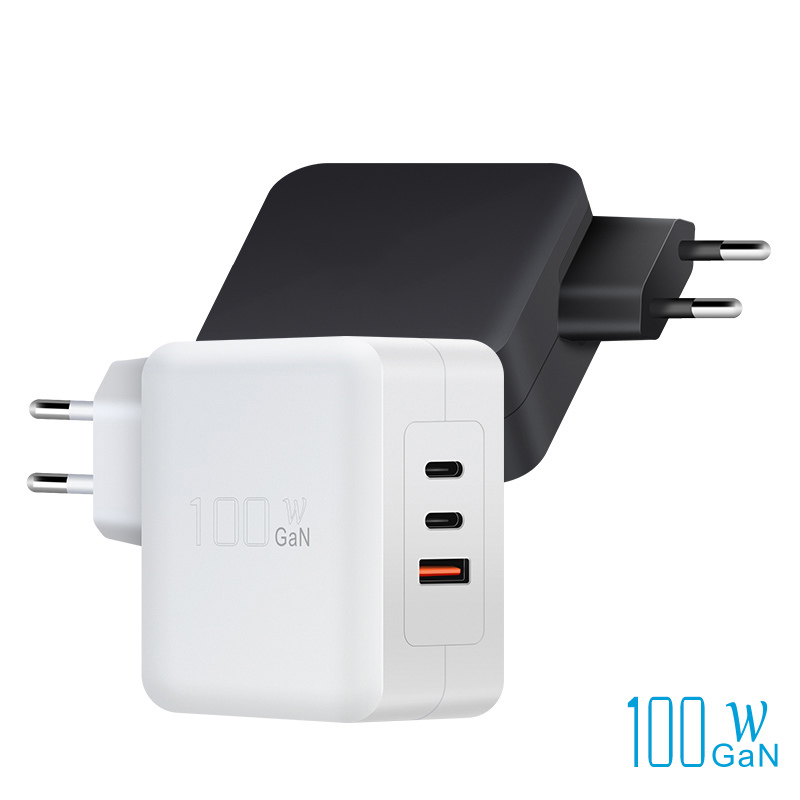
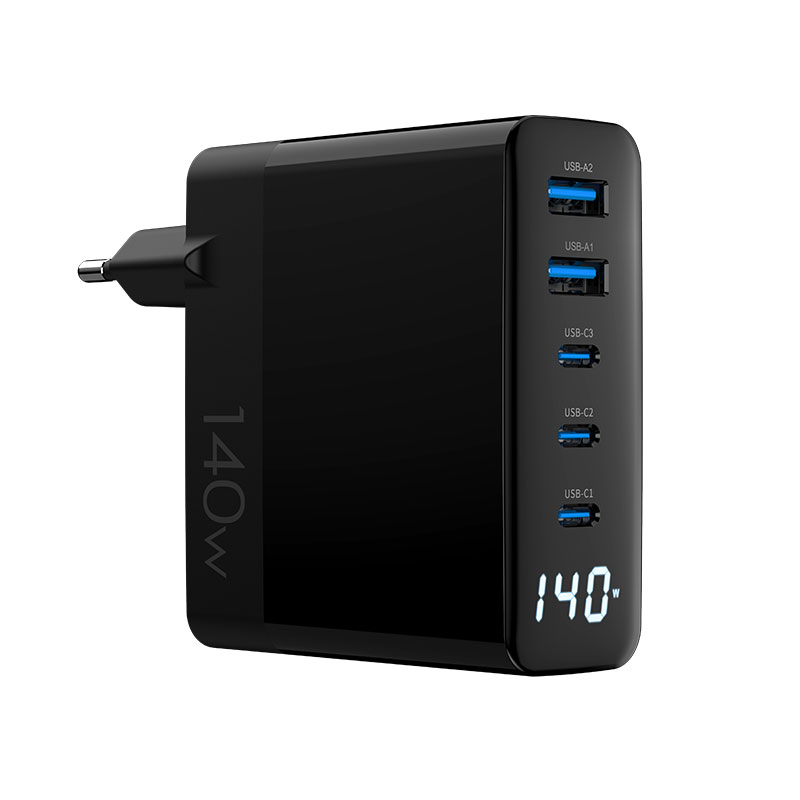
The wattage on a multi-port charger's box is the total, and the split map decides how that total reaches the devices. Two chargers with the same 100W rating can behave completely differently — one fast-charges a laptop and a phone at once, the other barely charges either. This guide explains split maps, priority ports and how allocation changes real charging time.
How power splitting works in multi-port chargers
A multi-port charger has one power stage with a total budget. When multiple ports are active, the budget is divided according to the design's split map — a fixed table of port allocations. The split map is the real spec: it states what each port delivers alone and in combination. Reading it before buying is the difference between a charger that fits your use case and one that merely matches your wattage.
The power stage is one converter with one budget, and the split map is the software that divides it. The map lives in firmware, which is why it can be tested, documented and even changed — and why two chargers with identical hardware can behave differently. Power supply design practice treats the allocation logic as part of the product specification, not an afterthought. Buyers who read the split map before buying make the same distinction the engineers do.
The split map's behavior is measurable and should be published: which port gets priority, what each combination delivers, and how the map responds to disconnects. USB PD defines the negotiation layer, while the power supply design determines the allocation logic. Buyers comparing multi-port chargers should put the split table next to the USB-C spec and their device list — the combination predicts the daily experience better than any headline wattage.
Fixed vs dynamic allocation strategies
Two allocation strategies dominate:
- Fixed split: the charger locks the allocation at plug-in (e.g., 60W + 20W + 20W), and unplugging a device does not change the others.
- Dynamic split: the charger redistributes power when a device disconnects, so the remaining ports gain wattage.
Dynamic allocation is generally better — it uses the budget fully — but fixed splits can be simpler and cheaper. The behavior shows up in real use: with a dynamic charger, unplugging a laptop speeds up the phone immediately; with a fixed one, it does not.
The strategy choice has a thermal dimension: dynamic redistribution shifts load between converter channels, which changes the thermal profile and can trigger derating if the design is marginal. Fixed splits are thermally predictable but waste capacity when a device unplugs. The USB PD negotiation layer is identical in both strategies — the difference is the charger's internal scheduling. For product decisions, dynamic allocation with documented thermal behavior is the modern default.
Priority ports and what they protect
Priority ports exist to protect the critical device: a 100W charger may designate one port as the 65W or 100W priority port, guaranteeing it the bulk of the budget when multiple devices connect. This protects the laptop from being starved by a phone plugged in second. The priority port is usually marked on the case or in the manual — check it before assuming any port can deliver the maximum.
The priority-port design has a buyer-facing benefit beyond the laptop: it makes the charger's behavior predictable. Plug the laptop into the marked port, add a phone to the accessory port, and the split follows the map every time — no guessing, no surprises. That predictability is what turns a spec sheet into a daily experience, and it is why the priority port should be labeled on the case, not just in the manual. For product content, showing the priority behavior in a short video answers the compatibility question that text tables struggle to convey.
How splits change charging time in practice
The charging-time impact is concrete: a laptop needing 60W charged from a 100W charger with a 60W+40W split gains at full speed while the phone fast-charges; with a 45W+25W+30W split, the laptop charges slower and the phone barely fast-charges. The split map, not the total wattage, predicts the time. For two-device users, the difference between split maps is the difference between "charges everything at speed" and "charges everything slowly."
Reading split maps on spec sheets
The split map is usually a table: port-by-port wattage alone, then in two-port and three-port combinations. Read the combination rows — the single-port numbers are marketing, the combination rows are reality. A charger that delivers 100W on one port but only 40W+30W+30W across three is honest; one that implies 100W everywhere is not.
Choosing allocation behavior for your users
Choose allocation by the buyer's simultaneous load: laptop-plus-phone users want a strong priority port with dynamic redistribution; phone-plus-accessories users are fine with a modest split; multi-laptop setups need the highest total and careful splits. Product pages should state the split map plainly, because the buyer's use case maps directly onto it.
Allocation behavior under simultaneous heavy loads
Under simultaneous heavy loads, allocation interacts with thermal limits: a charger delivering its full split may heat up and derate, reducing output below the split map. The honest test is the sustained split — measure each port's wattage after 30 minutes of full multi-port load. Designs that hold their split under load are worth the premium; designs that sag are the hidden downgrade.
How firmware updates can change split maps
Split maps live in firmware, which means they can change: a firmware update may alter the allocation strategy, add a new split configuration or fix a bug where ports misbehaved. For OEM products, the split map should be versioned and documented like any spec, and buyers should be told when an update changes behavior. A charger whose split changes after purchase is a surprise no one wants.
Firmware updates are a hidden compatibility variable: a charger's split map can change between manufacturing runs, which means the product you tested is not always the product you receive. OEM buyers should specify version control for the allocation firmware and require the split map in the acceptance test. The certified charger lineup documents its allocation behavior per model, giving buyers a stable reference instead of a moving target.
Testing split behavior with a power meter
The test is simple and definitive: connect two loads (laptops or electronic loads), read each port's wattage with a power meter, then unplug one and watch the other. Repeat for the port combinations you care about. The meter's numbers are the split map; compare them against the spec sheet and the difference is the truth.
Allocation differences between brands
Brands differ in allocation philosophy: some favor the laptop port aggressively, others equalize across ports, and some allow user selection. The WEP-100-CCA 100W adapter and the WEG-140W-2A3C 140W model show two common approaches — check their split tables against your device mix before choosing.
Writing split-map requirements for OEM
For OEM projects, write the split map into the spec: "port 1 delivers 65W alone and 45W when port 2 is active; port 2 delivers 20W alone and 20W when port 1 is active; dynamic redistribution on disconnect." Require the supplier to verify the map in testing and to freeze it in firmware with version control. A split map specified in the RFQ is a design input; one left open is a surprise.
FAQ
How does a multi-port charger split power?
According to its split map — a table of per-port wattage in every combination. The map is the real spec; the total wattage on the box is just the ceiling.
What is a priority port on a charger?
The port guaranteed the largest share of power when multiple devices connect, usually to protect a laptop. It is typically marked on the case or in the manual.
Does unplugging one device speed up the others?
Only on chargers with dynamic allocation. Fixed-split designs keep the original allocation; dynamic designs redistribute the freed power instantly.
How do I verify a charger's split map?
Connect two devices or loads, measure each port with a power meter, then unplug one and re-read. Compare the numbers against the spec sheet — the meter is the truth.
Specifying multi-port chargers with the right split maps? Send your device mix to our team through the contact page — we will match allocation behavior to your users and verify it in testing.
This article is part of Desktop & Multi-Port Charging, the guide that covers this topic in decision order.