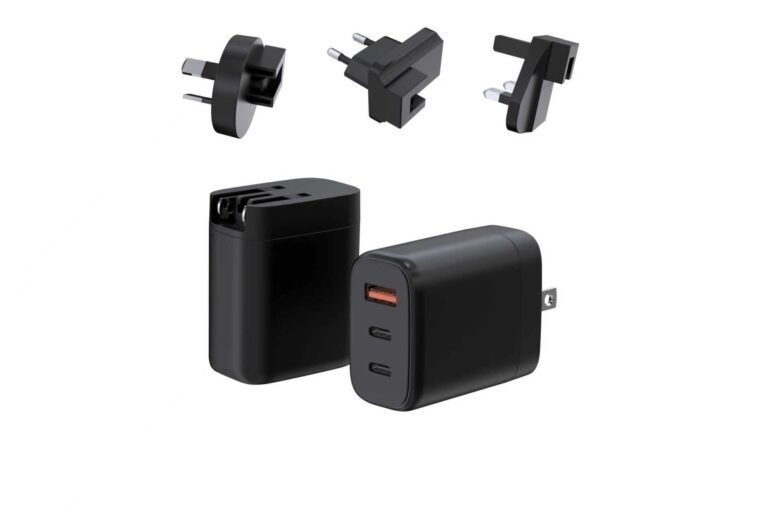
Laptop charging is full of folklore: overnight charging destroys the battery, mixing brands is dangerous, a higher wattage will fry the machine, and charging while using it at full load is a mistake. The evidence says otherwise — modern laptops negotiate their power, manage their charge range and protect their batteries, and the real risks are heat, charge range and cable quality. This guide separates what hurts from what does not, with the mechanism behind each myth, and the habits that actually matter.
Key takeaways
- Most laptop charging folklore does not survive contact with the negotiation mechanism.
- The real battery variables are heat, charge range and cable quality.
- The habits that matter are simpler than the myths they replace.
Content updated: August 2026 — battery knowledge is general industry information; confirm model-specific behavior with the manufacturer.
Scope note: This guide is general information about laptop battery charging; battery behavior is confirmed per model.
Overnight Charging: Risk or Routine
The myth says overnight charging overcharges and destroys the battery. The mechanism says otherwise: modern laptops manage their charge, stop charging at the limit and run on the adapter, and the battery sits at a managed state rather than being overstressed.
Overnight charging is a routine for most users, and the risk is small for a managed battery. The real variables are the same as everywhere in the battery story: heat and charge range. A laptop charging overnight in a hot, enclosed bag is the problem; one charging on a cool surface is not.
The practical habit is placement, not fear. Charge on a ventilated surface, avoid the enclosed bag and let the laptop's charge management do its job. Overnight charging is a routine, managed by design.
The overnight story also explains why the folklore persists: it was true for older battery designs that lacked modern charge management. The mechanism changed, and the advice did not catch up. Understanding the mechanism is the way to separate the outdated rule from the current one.
The practical check for any user is simple: if the laptop manages its charge range and the surface is ventilated, the overnight routine is safe. The design does the managing; the user does the placement.
Mixing Charger Brands and Wattages
The myth says a different brand or a higher wattage will damage the laptop. The mechanism says otherwise: the laptop negotiates the profile it needs and draws what it requests, so a certified charger with the right profiles is safe regardless of brand.
The higher-wattage question is the same. A 100W charger on a 65W laptop delivers what the laptop requests — the laptop is the load controller. The risk is not the wattage; it is the uncertified charger that lacks the protections.
The practical rule is to use certified chargers with the right profiles. The brand sticker matters less than the certificate, and the certified lookalike is the risk, not the brand difference.
The mixing question also has a travel angle. A traveler who charges a laptop and a phone from one certified charger is mixing devices, not brands, and the profiles cover both. The negotiation makes the mix safe when the profiles and the cable are right.
The rule is confirmed per device: read the laptop's request, check the charger's profiles and use a rated cable. The brand and wattage are secondary to the three-part match.
Charging While Using at Full Load
The myth says charging while using the laptop at full load is harmful. The mechanism says the laptop balances the power: it draws from the adapter and the battery as needed, and the charging electronics manage the flow.
The real consideration is thermal. A laptop under full load while charging runs hotter, and the heat is the variable that matters for both the battery and the machine. The pattern is fine; the temperature is the thing to watch.
The practical habit is airflow. A laptop under load while charging needs a ventilated surface, and the enclosed lap or bag is the problem. The pattern is safe; the placement is the control.
The full-load story also explains the performance question. A laptop under load with a small charger may draw from the battery faster than the charger replenishes, so the battery level drops while "charging." The fix is the right tier, not a different pattern.
The distinction between the pattern and the tier is the practical takeaway: using the laptop while charging is fine, and the charger must be matched to the workload. The two are separate decisions.
| Myth | The mechanism | The practical habit |
|---|---|---|
| Overnight charging destroys the battery | Charge management stops at the limit | Cool, ventilated surface |
| Mixing brands and wattages damages the laptop | The device negotiates what it needs | Match voltage; use a rated cable |
| Charging while using at full load is harmful | The laptop balances adapter and battery | Airflow, and the right tier |
| Battery health is beyond the user's control | Heat, range and cable quality drive aging | Manage the environment the battery lives in |
Battery Health Habits That Matter
The habits that matter are the ones behind the myths:
- Heat management. Keep the laptop cool and ventilated.
- Charge range. Avoid extreme states as a habit where the design allows.
- Cable quality. Use a rated cable and replace worn ones.
- Certified hardware. Certified chargers with the right profiles keep charging inside the design limits.
The habits are simple, and they are the user's half of the battery story. The design handles the negotiation, and the habits handle the conditions the battery lives in.
The habits also include the firmware and the monitoring. Keeping the laptop updated lets its charge management run the current profile, and checking the battery report shows the health trend. The data turns the habit into a measured story.
The battery report is the honest mirror: it shows the cycle count and the health, and it separates the real degradation from the folklore. The user who reads it knows whether the habits are working.
Signs Your Charger Is the Problem
When charging misbehaves, the signs point to the charger:
- The laptop does not charge at all on the charger.
- Charging is much slower than expected.
- The charger runs hot or makes noise.
- The cable is worn or damaged.
The signs are checked in order: the cable, the profile, the port and the charger. A charger that fails the checks is replaced with a certified configuration, and the habit is to verify rather than assume.
The troubleshooting order matters because the cable is the most common cause and the cheapest fix. A ten-minute cable swap resolves most "slow charging" reports before the charger is blamed. The order is the efficiency.
The laptop charging myths story closes with the same discipline as the rest of the cluster: the mechanism is understood, the cable and the profile are checked and the certified hardware is the standard. The folklore fades when the mechanism is the conversation — and the habits that replace it are simpler than the myths they displaced.
Whether the user is a student, a road warrior or an IT team, the myth-busting framework is the same: ask what the mechanism says, check the cable and the profile, and treat heat and charge range as the real variables. The myths persist because they are easy to repeat and hard to question; the framework is the way to question them. The result is a laptop battery that lasts, a charging story that is grounded in evidence and a user who stops worrying about the wattage on the box — and starts worrying about the cable, the surface and the certified hardware, which are the things that actually matter.
And when a charging problem does appear, the framework turns it into a checklist instead of a crisis: cable first, profile second, port third and charger last, with the battery report as the honest baseline. The myth-driven user replaces the charger; the mechanism-driven user finds the cable. The difference is the whole story of this article — the myths are replaced not by blind trust in the hardware, but by the mechanism, the check and the habit.
A verification note for laptop users: The first check is the cable, the second is the profile and the third is the port. The wattage number is almost never the cause of a slow charge — the cable and the profile are where the answer usually sits.
Separating myth from mechanism is easier with a real product map: the GaN Charger Category at WECENT lists certified platforms by power and ports, and the Quality Control page describes the production test flow and records. To confirm the right charger for a laptop, submit the machine model to WECENT's project engineering team — the review returns the profile and configuration proposal for the machine.
Frequently Asked Questions
Does overnight charging damage a laptop battery?
Not for a managed battery — the laptop stops at its limit and runs on the adapter. The risk is heat and placement, not the overnight routine itself.
Is a different brand of charger safe?
Yes, when it is certified and its profiles cover the laptop's request. The laptop negotiates what it needs; the certificate, not the brand, is the evidence.
Will an overrated charger stress laptop internals?
No — the laptop draws what it requests. The risk is the uncertified charger, not the wattage.
Is charging while gaming harmful?
The pattern is safe; the heat is the variable. Keep the laptop ventilated under load while charging, and the enclosure is the control.
What habits actually protect the battery?
Heat management, charge range, cable quality and certified hardware. The habits manage the environment the battery lives in.
This article is part of Laptop Chargers, the guide that covers this topic in decision order.