The connector alone does not decide charging speed — the protocol does. USB-C can charge faster because it supports USB Power Delivery, while USB-A tops out at older 5V profiles. This guide explains which is actually faster, why “C is not always fast”, and how to pick ports when you spec a charger.
USB-A vs USB-C: Key Differences
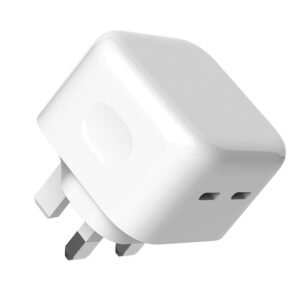
USB-A is the rectangular connector that has existed for decades; USB-C is the reversible oval connector that replaces it. USB-A is everywhere on legacy devices, hubs and cables, while USB-C appears on every new phone, laptop and charger. The physical differences matter less than what each port can carry.
Which One Charges Faster?
USB-C charges faster when the charger and device negotiate USB Power Delivery or another fast protocol over it — up to 100W and beyond. A USB-A port is typically limited to 5V/2.4A (about 12W) or QC (up to 18–27W on some ports). So the honest answer: USB-C can be much faster, and a plain USB-C port with no fast protocol is no faster than USB-A.
USB-C Power Delivery and the 100W+ Ceiling
The speed ceiling lives in the protocol, not the connector. USB PD 3.0 reaches 100W and PD 3.1 extends to 240W, all over USB-C — this is what lets one port charge a laptop. USB-A has no equivalent; its protocols top out well below laptop power. The full comparison is in our article on PD 3.0 chargers for B2B buyers.
USB-A Legacy: Still Useful for Accessories
USB-A remains on chargers for one practical reason: compatibility with older cables and low-power accessories — earbuds, mice, fans and legacy devices. A USB-A port on a charger is a convenience port, not a fast-charging port. For everyday phone charging, the customizable 20W GaN charger shows the entry tier, and USB-C handles the speed.
Choosing the Right Port for Your Product (OEM View)

When you spec a charger, decide each port’s job: USB-C for fast charging and laptops, USB-A for legacy accessories. Most of our multi-port platforms pair one or two USB-C fast ports with a USB-A convenience port. The OEM/ODM page covers port map customization, and the GaN charger product line shows the combinations we build.
USB-A to USB-C Cables: Why Direction Matters
Not every USB-A to USB-C cable is the same, and the direction of the connection decides what it can do.
- Charging direction — a USB-A charger into a USB-C device works at 5V; the cable must route power the right way.
- Data direction — host-to-device data flows from the USB-A end; many cables only support charging, not data.
- PD limits — USB-A has no PD negotiation, so even a good cable tops out at QC or 5V speeds.
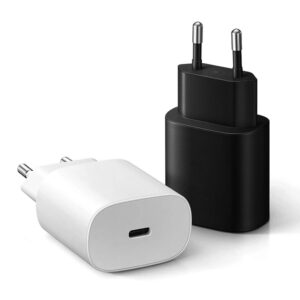
The practical rule: for fast charging, use USB-C on both ends; use a USB-A to USB-C cable only for legacy chargers and low-power devices.
What Is USB-C Charging? (Port vs Protocol)
“USB-C charging” mixes two ideas — a connector and a protocol — and separating them explains most charging-speed questions.
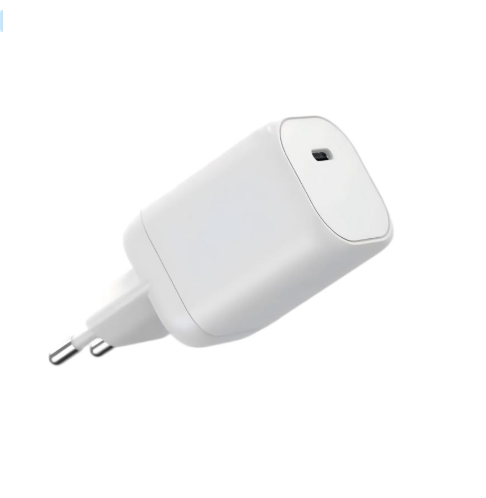
The USB-C port is the physical connector; the protocol is what negotiates power. A USB-C port that supports USB Power Delivery can charge a laptop at 100W; the same port without PD charges at basic 5V speeds. When a charger or cable is labelled “USB-C,” ask which protocol it supports — that is the number that decides real speed.
USB-A vs USB-C for Peripherals: What Still Needs A
Peripherals are where USB-A refuses to retire. While phones and laptops moved to USB-C, many desktop accessories still expect the older port.
- Still USB-A — mice, keyboards, headsets and flash drives commonly use USB-A because they need no fast charging.
- Moving to USB-C — webcams, SSDs and hubs increasingly ship USB-C for speed and reversible plugs.
- Hybrid products — many devices ship both cables or support both ends.
For a charger, keep one USB-A port for legacy accessories and let USB-C handle fast charging — a balance most multi-port designs already follow.
FAQ
Does a USB-C cable always charge faster than USB-A? No — speed depends on the charger, cable and device negotiating a fast protocol, not the connector alone.
Can I use a USB-A charger with a USB-C phone? Yes, with a USB-A to USB-C cable — but you will get basic 5V speeds unless the charger supports QC on that port.
Why is my USB-C port slow? The charger or cable may not support PD; check both ends support the same fast protocol.
Is USB-A obsolete? Not yet — it survives on chargers and hubs for legacy accessories, but new fast charging is USB-C.
How do I OEM a charger with mixed ports? Port combinations are fully customizable. See the product line or contact us on the contact page.
References: USB-IF, Wikipedia’s USB hardware article, and cable guidance from How-To Geek.
Further reading: Wikipedia USB-C, Wikipedia Micro USB, ChargerLAB.
This article is part of USB-C PD and PPS, the guide that covers this topic in decision order.