Earbud cases charge three ways today — USB-C, Qi wireless, and MagSafe-style magnetic pads — and each fits a different routine. Understanding which one your case supports, and how to charge it alongside phone and watch, turns a confusing accessory decision into a simple one.
How earbud cases are charged today
Modern earbud cases charge over USB-C for the fastest and most reliable results, with Qi wireless as the convenience option. Cases that support MagSafe-style magnetic alignment charge wirelessly with the same magnet-assisted positioning that makes phone pads easy to use. The right choice depends on whether you prefer speed or cable-free convenience.
Case charging is deliberately low-power: most cases accept 5–10W over USB-C and similar levels wirelessly, because the battery inside is small and overnight charging is the norm. That makes the charger choice forgiving — almost any certified charger works — but it also means "fast charging" is less relevant for earbuds than for phones. The interesting decisions are about convenience: where the case charges and whether it shares a spot with the phone.
USB-C charging and cable requirements
USB-C charging is simple: any quality USB-C cable and a charger that supplies 5–10W is enough for a case, and even a phone charger works. Cases negotiate modest power, so the cable matters more than wattage — a properly rated USB-C cable avoids the "not charging" surprises that cheap cables cause.
A subtlety worth knowing: earbud cases negotiate low power, so a worn-out cable that still charges a phone may fail a case that draws a trickle — marginal connections show up first at low currents. If a case intermittently stops charging, try another cable before suspecting the case or charger. This single troubleshooting step resolves a large share of earbud charging support tickets.
Qi and MagSafe wireless charging for cases
Qi wireless charging works with any Qi-certified pad, and magnetic cases align themselves for consistent charging. Wireless is slower than USB-C but perfect for nightly top-ups on a shared pad — the case trickle-charges while the phone charges.
Qi wireless charging follows a simple rule: the case must be positioned over the coil area, and magnetic alignment just makes that easier. Cases with flat bottoms sit well on pads; cases with rounded or asymmetric bottoms can rock and interrupt charging. On a 3-in-1 station, the earbud spot is designed for specific case shapes, so verify your case fits the cradle before relying on it.
Charging earbuds as part of a 3-in-1 station
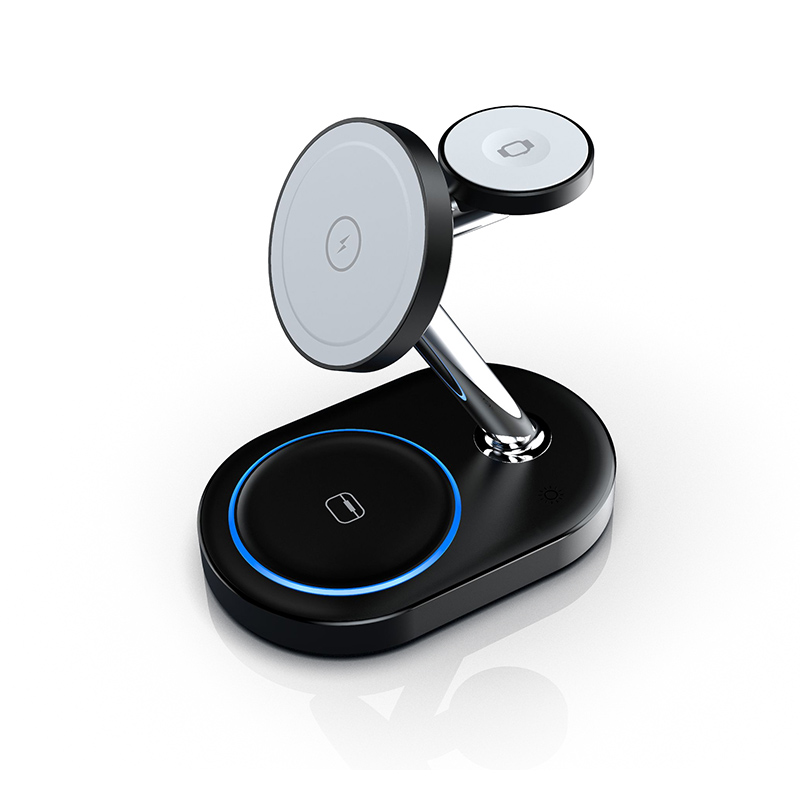
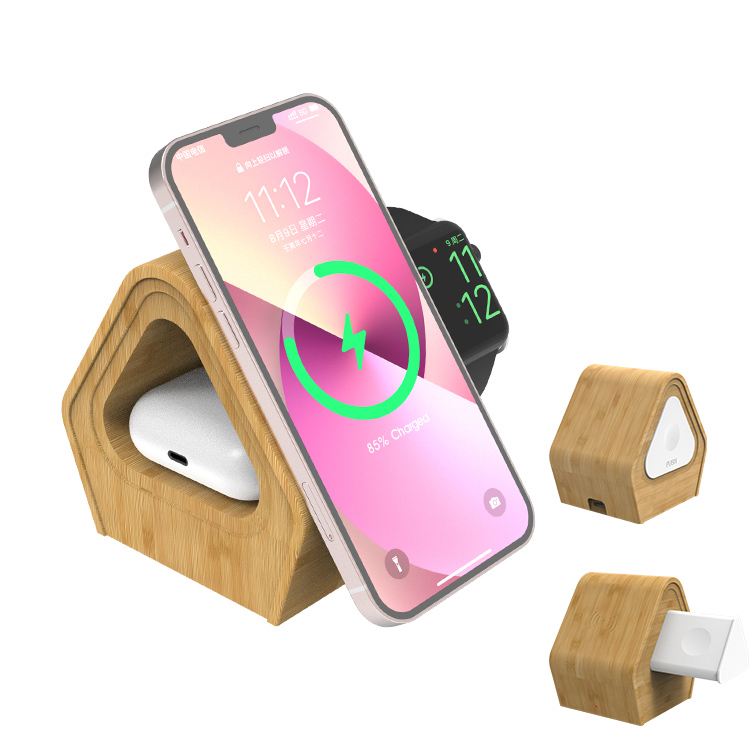
A 3-in-1 station charges phone, watch and earbuds in one spot, and the earbud spot is usually a small Qi pad on the base or a dedicated cradle — see the WPC knowledge base for Qi basics. Verify the station's earbud spot is positioned for your case size — deep cradles and flat pads suit different cases. The Y302 Qi2 3-in-1 and WEG-2201 bamboo 3-in-1 show the two common layouts.
On a 3-in-1, the earbud spot competes for power with the phone and watch spots, and some stations prioritize the phone, leaving the case to trickle. If fast case top-ups matter, check the station's per-spot output and allocation behavior, or keep a USB-C cable handy for quick wired top-ups. The station is for convenience; the cable is for speed.
Battery care for earbud cases
Earbud batteries last longest with partial charges and moderate temperatures. Avoid leaving the case on a hot surface or in a car in summer, and let the case manage its own charging curve — case charging is controlled by the case's firmware, not the charger.
Earbud case batteries are small and easily stressed by heat: leaving a case in a parked car or on a sunny windowsill can swell the cell, and swelling is a safety issue, not just a performance one. Keep cases out of direct heat, avoid charging immediately after they have been in a hot car, and replace cases with visibly swollen batteries immediately. Certified chargers reduce electrical stress, but environment is the bigger factor.
Designing bundles that include earbud charging
If you sell phone chargers, adding earbud coverage to the story helps: a dual-port charger covers phone plus earbuds, and a 3-in-1 station covers phone, watch and earbuds. Bundle listings should state exactly which case sizes and charging methods are supported.
Common earbud charging failures and fixes
- "Not charging" on wireless: the case is misaligned or a thick case blocks the coil — reposition or remove it.
- Slow wireless charging: Qi delivers less than USB-C; overnight top-ups are normal.
- Cable failure: cheap cables fail silently — replace with a quality USB-C cable.
- No response: reset the case or clean the charging contacts on older models.
Add two less obvious failures to the list: charging contacts on older wired cases accumulate oxidation and need cleaning, and cases with firmware bugs occasionally stop negotiating altogether until reset. Both are fixable and neither means the charger is bad. Document these steps in the FAQ or support page — they convert angry reviews into resolved tickets.
How case charging speed affects daily use
Earbud cases rarely need fast charging: a 30-minute USB-C top-up typically adds hours of listening, and overnight wireless charging is standard. Speed matters most before a commute — a USB-C quick top-up beats a wireless pad in that window.
A 30-minute USB-C top-up typically adds several hours of listening, which is why fast wired charging matters before a commute and wireless matters overnight. If your product line sells charging bundles, state the top-up math (“15 minutes of charging ≈ 3 hours of playback” with the right case) — it converts abstract wattage into a benefit the buyer feels.
Choosing a case charger for travel
For travel, one multi-port GaN charger plus the case's USB-C cable covers everything. A wireless-capable phone charger adds cable-free earbud top-ups at the hotel, and a short cable keeps the pouch tidy.
Earbud case temperature and safety
Wireless charging generates some heat in the case; mild warmth is normal. Certification matters: a Qi-certified or safety-marked charger keeps charging controlled and consistent with the case's expectations.
Questions to ask before sourcing earbud chargers
- Which wireless standard does the earbud spot support (Qi, MagSafe-style)?
- What case sizes and models were tested with this station?
- What is the earbud spot's output, and does it cover the case's needs?
- Is the charger safety-certified for the target markets?
- Can you share test data for the earbud charging spot?
For OEM sourcing, add two questions beyond the standard list: what case sizes and models were tested with the earbud spot, and what happens to the spot's output when the phone spot is at full load. The second question exposes power-allocation behavior that no spec sheet states. A station that maintains reasonable earbud output while the phone charges is a better product than one that starves the case.
FAQ
Can AirPods charge on any Qi charger?
Wireless-capable AirPods cases charge on Qi-certified pads and mats; magnetic MagSafe-style alignment is a convenience feature, not a requirement.
Do earbuds charge faster with USB-C or wireless?
USB-C is faster and more reliable for quick top-ups; wireless is slower but convenient for overnight charging.
What is the best way to charge earbuds?
For daily use, a USB-C top-up when needed plus a wireless pad or 3-in-1 station at night covers everything.
Why won't my earbud case charge wirelessly?
Usually misalignment, a thick case, or an uncertified pad. Reposition the case, remove thick cases, and use a Qi-certified charger.
Building a charger lineup that covers earbuds too? Send your target devices to our team through the contact page — we can match dual-port chargers and 3-in-1 stations to your customers' earbuds.
This article is part of Wireless & Built-in Charging, the guide that covers this topic in decision order.