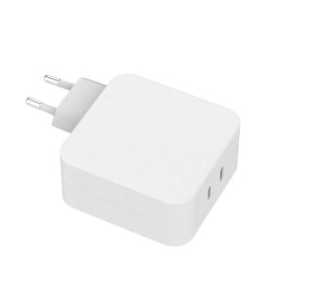
Chargers with a small wattage display are a fast-growing SKU in travel and desktop lines, and for good reason: the number is satisfying to watch and reassuring to buyers. For brands planning a display charger, the commercial opportunity is real — but the display's accuracy, cost and honest marketing rules decide whether the product helps or hurts your reputation.
Why brands are adding displays to chargers
The display turns an invisible process into a visible one. Users see the wattage negotiated with their laptop, phone or tablet, which builds confidence in the product and makes the "fast charging" claim tangible. For e-commerce, the display is also a strong product-page differentiator that justifies a premium price — a natural slot within the high-density multi-port charger trend.
The trend is broad enough to have distinct flavors: compact single-port display chargers for travelers, desktop multi-port bricks with per-port readouts, and retractable-cable models like the WEX100S that combine a screen with convenience features. What they share is the proof-seeking buyer — someone who has been burned by a slow "fast charger" before and wants to see the number. For a brand, that emotional driver is worth more than the cost of the display, provided the feature is executed honestly.
What the wattage readout actually measures
The display shows the negotiated output power — voltage times current delivered on the active port — measured by the charger's own metering circuitry. It reflects real-time output, so it changes as the device's charging curve changes: high during fast-charge bursts, lower as the battery fills.
Two details shape what you see. First, the display updates at a finite rate and may average or round the reading, so it lags fast transients and shows stable values during a steady session. Second, on multi-port chargers the readout usually tracks the primary port or cycles between ports, so it may not show every port simultaneously. Understanding these behaviors prevents misreading the display as a bug when it is just the design's sampling and display logic.
Display accuracy and what it cannot show
Display values are typically accurate to a few percent at best, and they show output power only — not input power, not efficiency, not battery health. A display cannot tell you whether the battery is aging, whether the cable is limiting current, or how much power was lost as heat. The USB PD negotiation determines what the port requests; the display reports what the charger delivers.
The tolerance comes from real hardware: the current-sense amplifier has an offset and gain error, the ADC has quantization error, and the voltage measurement has its own small drift. A few percent is the honest expectation for a consumer-grade readout, and claiming more invites scrutiny. The display is a window into the charging session, not an instrument.
Design and cost implications for OEM projects
Adding a display changes the BOM, the enclosure, the firmware and the testing. The metering chip, display driver, transparent window or PCB-mounted screen, and extra firmware validation all add cost and lead time — which is why display chargers sit at the premium end of the range.
The less obvious costs are firmware and certification. The display needs its own firmware state machine (sleep, wake, port switching, calibration), which means more code to validate across scenarios. The enclosure window must survive drop tests and sealing requirements, and the extra power draw of a lit screen must be accounted for in standby-power measurements if the product targets efficiency labels. None of these are blockers — they are the engineering work behind a premium feature.
| Display feature | Engineering impact |
|---|---|
| Metering accuracy | Requires calibrated measurement circuit |
| Display driver | Extra MCU resources or dedicated IC |
| Enclosure window | Tooling and sealing considerations |
| Firmware validation | More testing time and firmware updates |
Who the display feature serves best
Display chargers fit tech-savvy buyers, frequent travelers and professionals who want to verify their laptop is getting the wattage they paid for. They are a weaker fit for bargain-driven segments where price dominates and the display adds no perceived value.
The clearest persona is the laptop user: they know their MacBook or ultrabook needs 60–100W, they have been disappointed by underpowered hotel adapters, and they will pay a premium for visible confirmation. The second persona is the IT buyer standardizing desks and travel kits where a visible, verifiable charger reduces support questions. Target marketing at these proof-seekers rather than at novelty lovers, and the feature justifies its cost.
Product claims to avoid when marketing display chargers
The fastest way to damage a display charger's reputation is overclaiming accuracy. Avoid "precision wattage meter" phrasing unless the measurement is laboratory-grade; "real-time output display" is honest and sufficient. Also avoid implying the display measures battery health or charging efficiency — it does not, just as energy-efficiency claims require separate measurement.
Good copy states the mechanism and the benefit: "shows real-time charging power on the active port" and "see when your device is fast charging." Bad copy makes promises the hardware cannot keep: "precision power meter," "battery health indicator," "measures charging efficiency." The difference is one lawsuit or one wave of bad reviews away, so choose the honest phrasing and let the display's real utility — visible fast charging — do the selling.
What the display shows in real time
On a typical display charger like the WEX100S 100W retractable GaN fast charger with power display, the screen shows the active port's voltage and current, or the calculated wattage, updating as negotiation changes. This is genuinely useful for verifying that a device is fast charging rather than trickle charging.
Because the readout tracks the negotiated value, a display charger also exposes cable problems: plug in a weak or damaged cable and the wattage drops visibly, turning a hidden bottleneck into a visible one. That single behavior — making the invisible charging session observable — is the feature's real value proposition.
Display accuracy and measurement chips
Accuracy depends on the measurement circuit and its calibration. A well-designed charger uses a dedicated current-sense amplifier and calibrated voltage measurement, with firmware that displays rounded values sensibly. Ask suppliers for the display accuracy specification and the calibration method before choosing a partner — the converter behind the display follows switched-mode power supply practice.
Calibration typically happens at the factory: a known load is applied, the measured values are compared with a reference meter, and correction factors are stored in firmware or trimmed at test. Ask how many calibration points the design uses and what the guaranteed tolerance is across input voltage and temperature. A supplier that can state "±3% across 5–100W at 25°C" has done the work; one that says "it shows the wattage" has not.
Design considerations for display chargers
Beyond the display itself, consider power draw of the screen, visibility in different light, and the thermal effect of a window in the enclosure against safety touch-temperature limits. A permanently lit display adds standby consumption and heat; most designs dim or sleep the screen to manage both.
Who buys display chargers and why
The buyer is typically a power user who wants proof: laptop users checking they get 60W+, travelers confirming fast charge on the go, and IT buyers standardizing on a visible, verifiable charging experience. Marketing should speak to that proof-seeking behavior, not to decorative novelty.
Marketing display chargers without overclaiming
Keep claims factual: "real-time wattage display," "see negotiated charging power," "works with USB-C laptops and phones." Pair the display story with the charger's real specs — power range, ports, protocol support and certification — and let the quality-control evidence back the reliability claims. A display charger marketed honestly is a strong premium SKU; one marketed on fake precision becomes a support burden.
FAQ
What is a smart-screen GaN charger?
A GaN charger with a small display that shows real-time output power (wattage) for the active port, letting users verify negotiated charging speed.
How accurate is the wattage display on a charger?
Typically within a few percent under stable conditions. It reports output power only and is not a laboratory meter, so marketing should describe it as a real-time display rather than precision measurement.
Is a display charger worth the extra cost?
For power users, travelers and IT buyers who want to verify fast charging, yes. For price-sensitive segments, the display adds cost without proportional value.
Does the display show battery health?
No. It shows negotiated output power in real time; it cannot measure battery capacity, health or charging efficiency.
Considering a display charger for your brand? Send your wattage targets and volume to our team through the contact page — we can share display-accuracy specs and OEM design options for smart-screen GaN chargers.
This article is part of Desktop & Multi-Port Charging, the guide that covers this topic in decision order.