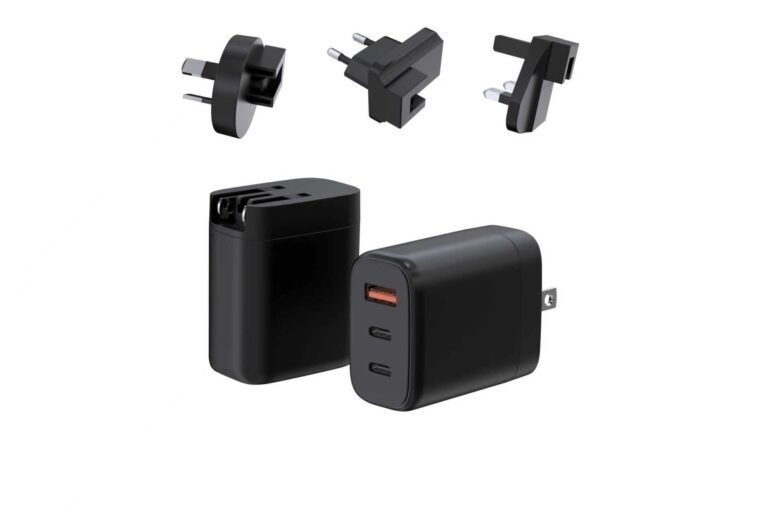
The multi-port USB-C charger is the answer to the bag’s charging problem: one brick, several ports, and the whole device stack fed from a single outlet. This page is the multi-port USB-C guide for buyers — the device combinations, the port layouts, the split behavior and the verification that makes the “one brick for everything” claim true.
The Bag’s Device Stack
The multi-port charger’s job is defined by the bag’s device stack: the laptop, the phone, the tablet, the earbuds and the occasional second phone. The stack sets the port count and the wattage — the laptop needs the primary port’s power, the phone needs the fast profile, and the smaller devices need any available port. The buyer should build the device list before the charger, because the stack is the spec, and the charger that matches the stack is the one that earns the bag space.
The Port Layout Table
| Port layout | Devices it serves | Primary port | Typical buyer |
|---|---|---|---|
| 2× USB-C | Laptop + phone | 65–100W | Business traveler |
| 2× USB-C + USB-A | Laptop + phone + legacy | 65–100W | Mixed daily carry |
| 3× USB-C | Laptop + tablet + phone | 65–100W | Power user |
| 3× USB-C + USB-A | Full stack | 65–140W | Family and heavy users |
The layout is the selection tool: count the devices, decide which charge together and pick the layout that feeds them without overpaying for ports nobody loads.
The Split Behavior
The multi-port charger’s split behavior is the field spec: the primary port’s output when the secondary devices join, the all-ports row under full load and the disconnect behavior when a device unplugs. The buyer should read the split map at the combinations the stack creates and verify the disconnect behavior with the actual devices, because the multi-port experience is the negotiation, and the negotiation is the map. The split behavior is also the support document — the map published on the page answers the “why is my laptop slow” questions before they become tickets.
The Verification for the Multi-Port Line
The multi-port line runs the standard verification: the split map at the stack combinations, the disconnect and reconnect behavior, the sustained thermal test, the compatibility matrix with the stack’s devices, the certificate set per market and the cable requirement. The verification is the line’s evidence, and the buyer who runs it sells the one-brick-for-everything claim with the map that proves it.
The Field Scenarios
The multi-port charger’s field scenarios are the daily realities the datasheet does not describe: the airport lounge where the laptop charges while the phone joins, the hotel room where the tablet and the earbuds share the brick and the desk where the second device connects and disconnects through the day. Each scenario is a split-map row and a disconnect test, and the buyer should verify the scenarios the channel’s customers actually live. The scenario verification is also the marketing material — the scenario table with the verified results is the product page’s story, and the story is the map in use.
The Port Hierarchy
Every multi-port charger has a hierarchy, and the buyer should know which port is primary before the customer does: the primary USB-C carries the highest power and the full protocol range, the secondary ports carry reduced profiles and the USB-A ports carry the legacy outputs. The hierarchy is the split map’s backbone, and the marketing should state it — the laptop buyer needs the primary port’s behavior, and the phone buyer needs the fast profile’s availability. The hierarchy also sets the packaging story: the primary port’s wattage on the front of the box, and the port table on the back.
The Line Architecture for Multi-Port
The multi-port line should be planned as an architecture with named jobs: the two-port tier for the laptop-plus-phone majority, the three-port tier for the power user and the four-port tier for the family or the heavy stack. Each tier has a split map and a verification, and the tiers overlap at the edges — the three-port tier can serve the two-port customer at a higher price, and the architecture should keep the jobs distinct. The line architecture prevents the multi-port line from competing with itself, and the maps are the differentiation.
The Common Mistakes
The multi-port category’s mistakes repeat: buying the port count without the map, assuming the primary port keeps its profile under load, ignoring the cable and the input voltage, and loading the line with SKUs the customers never use. Each mistake is prevented by the same habits — read the map at the stack, verify the disconnect, confirm the cable and the input, and match the SKU count to the actual combinations. The mistakes are also the return reasons, and the habits are the return rate’s remedy.
The Product Page
The multi-port product page should lead with the port table and the split map: the layout, the primary port’s wattage, the both-devices row and the all-ports row, with the cable requirement stated. The page should also publish the disconnect behavior note and the honest limits, because the multi-port buyer is comparing the map, and the page that shows the map wins the comparison. The page that publishes the evidence sells the one-brick claim; the one that publishes only the port count sells the count.
The Corporate and Retail Channels
The multi-port charger’s channels follow the stack: the corporate buyer standardizes the fleet on the two-port workhorse, the retail channel carries the three-port power-user SKU and the family channel sells the four-port layout. Each channel needs the channel story — the corporate story is the fleet standard with the support pack, the retail story is the layout table with the primary port’s wattage and the family story is the all-ports behavior — and the pricing should follow the channel structure. The channel plan should also include the listing requirements, because the multi-port channels all ask for the map, and the map is the evidence.
The Multi-Port Review Cycle
The multi-port line is managed by the review cycle: the sell-through by layout, the return reasons, the review language around the split and the reorder velocity. The review decides whether the line’s layouts match the customers’ stacks, whether the map needs a copy fix and whether the next SKU should be a different layout or a different wattage. The review cycle is the multi-port line’s management layer, and it keeps the one-brick claim aligned with the stacks the customers actually carry. The review should also watch the stack’s evolution — the new devices, the new charging standards and the new usage patterns — because the multi-port line’s job is the stack’s job, and the line that reviews the stack’s changes stays the answer to the bag’s problem.
Bottom Line
The multi-port USB-C charger is the bag’s charging solution when the layout matches the stack and the split survives the full load: build the device list, pick the layout, verify the split and the disconnect behavior and publish the map. The one-brick claim is the map, and the map is the product.
For the multi-port models with their split maps and compatibility data, browse the multi-port category or contact Wecent through the contact page with your device stack. The stack, described in the port layout table’s language, is the multi-port line’s spec, and the recommendation that starts from the stack is the one that ends with the layout, the split row and the disconnect behavior the customer actually needs — the stack is the question, and the map is the answer.
The Multi-Port Warranty and Support
The multi-port line’s warranty and support are the map’s other half: the warranty terms, the replacement process and the support script for the split questions. The buyer should define the warranty before the order — the period, the coverage and the claim process — and build the support script from the map, because the multi-port field questions are the split and the disconnect questions that the map answers. The support story is the line’s protection: the customer who gets the map-based answer is the customer who keeps the charger, and the map-based support is what the one-brick claim’s trust is built on.
Frequently Asked Questions
How many ports do I really need?
The device stack decides: two ports for the laptop-plus-phone majority, three for the power user and four for the family; the port count beyond the stack is cost and split pressure.
Can a multi-port charger power a laptop and charge a phone fast at the same time?
Only if the split map keeps the laptop port above its minimum and the phone port at its fast profile; the both-devices row of the map is the spec.
Why does my laptop port slow down when I connect a second device?
The split map reassigns part of the output; whether the laptop keeps its minimum depends on the map at that combination, and the disconnect behavior determines the recovery.
Do all ports support the same fast-charging protocols?
No; the primary port carries the full PD range, while the secondary ports carry reduced profiles and the USB-A ports carry fixed outputs; the port table is the answer.
What happens if I plug in more devices than the charger can feed?
The charger negotiates within its total; the lowest-priority port or the newest device drops or slows, depending on the design. The all-ports row documents the behavior.
This article is part of Desktop & Multi-Port Charging, the guide that covers this topic in decision order.