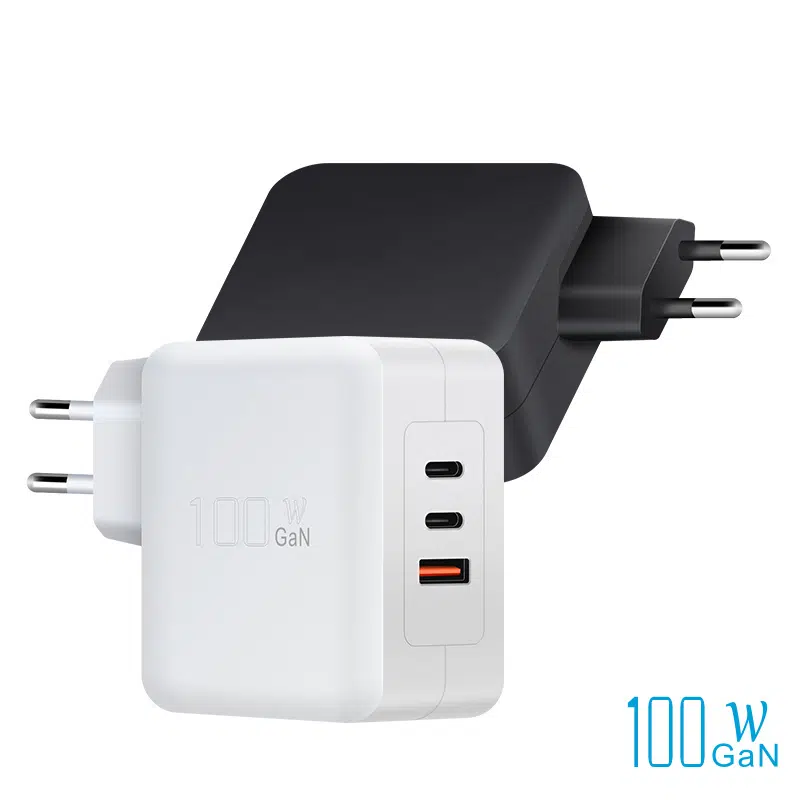
A room full of laptops is a power problem: thirty Chromebooks or a meeting-room fleet can pull kilowatts if charged carelessly, and the wrong setup creates tripping hazards, tripped breakers and dead devices. This guide covers the three main approaches — carts, built-in desk power and charging cabinets — plus the power budgeting, safety and OEM planning that make them work.
Why shared spaces need dedicated charging
Shared spaces fail at charging for predictable reasons: not enough outlets, chargers that walk away, cables that become trip hazards, and no place to secure devices. A dedicated charging solution answers all four at once — power where it is needed, chargers that stay put, cables managed, and devices locked or cabled. The cost is justified by the alternative: classrooms that start late and meetings that begin with dead laptops.
Charging carts for device fleets
Charging carts are the standard answer for school fleets: a lockable cart with per-device slots, integrated charging and cable management. Sizing rules matter: cart capacity should match the class size with margin, the power supply should be distributed (multiple USB-C PD chargers rather than one oversized brick), and the cart needs casters rated for the weight. Ask for thermal behavior data, because thirty laptops charging in a closed cart generate real heat.
The cart decision is a fleet-lifecycle decision: capacity, power distribution and security all need to survive multiple device generations. A cart with distributed USB-C PD per slot handles new laptops without reconfiguration, while a cart built around one high-wattage brick becomes obsolete with the next device refresh. Ask about the cart's total power architecture and spare-part availability before buying — the cart outlives the laptops it charges.
Built-in and hidden desktop power for meeting rooms
Meeting rooms work best with power built into the furniture: pop-up outlets, desk grommets, or under-table rails with PD chargers per seat. The design goal is invisible power — cables hidden, chargers secured, and every seat able to charge a laptop and a phone without reaching under the table. For retrofits, under-table charging rails are the lowest-disruption option.
The hidden-power design goal is zero-obstruction: power within arm's reach, cables out of walkways, and chargers that cannot be casually removed. Per-seat PD modules at 65–100W cover the meeting-room laptop mix, with a couple of 140W seats for presenters. The energy-efficiency side of the spec matters too — chargers that idle efficiently keep the room's standby load reasonable when the table sits empty.
Power budgeting for multiple laptops
The power math is the part most projects get wrong: 30 Chromebooks at 45W each is 1.35kW, and 20 workstation laptops at 100W each is 2kW — enough to matter on a room's circuit plan. Budget the simultaneous worst case (all devices charging at once), add 20% margin, and split the load across circuits. DOE energy standards on the chargers themselves keep the idle draw reasonable when the fleet is parked.
The power budget has a scheduling dimension that procurement often misses: the worst case is not "all devices charging at once" but "all devices charging at once, right after a class, in a warm room." Ambient heat reduces both charger output and laptop charging acceptance, so a room that passed the winter test can fail in May. Build the budget with margin for the warm season, and verify with a full-load test in the actual room. The test is cheap and the breaker trip it prevents is expensive — every institutional charging project should include one. The same full-load test doubles as the acceptance check for the cart or cabinet's thermal design, since a closed cart full of charging laptops is often the room's hottest surface.
Safety and cable management
Safety in shared charging spaces means four things: surge-protected power, thermal monitoring in carts and cabinets, cable management that prevents tripping, and tamper-resistant mounting so chargers cannot walk. Cabinets and carts should have airflow or active ventilation, and power strips should never be daisy-chained. A facilities checklist should inspect charging zones for scorching, loose sockets and damaged cables on a schedule.
Choosing OEM partners for institutional projects
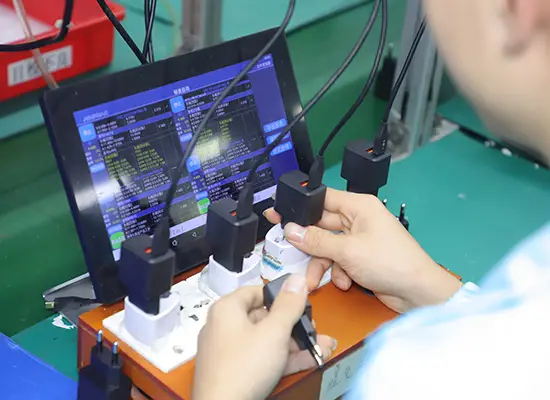
Institutional projects need an OEM partner that can do more than supply a box of chargers: quantity pricing, branded or private-label chargers, per-batch inspection reports, and certification documents per market. The partner should also advise on the power-distribution design, because the charger is one component in a system. Ask for reference installations and the exact certificate set before committing.
Institutional projects live or die on documentation: certification per market, batch traceability and a warranty with a replacement path. An OEM/ODM partner that supplies these with the hardware saves the facilities team months of chasing certificates. Ask for reference installations and the exact certificate set before committing — the partner's documentation discipline is the project's compliance floor.
Power needs in shared spaces
The requirement table: classroom Chromebook fleets at 45–65W per device, meeting-room laptops at 65–100W per seat, and workstation rooms at 140W+ per seat where heavy compute is expected. The per-seat wattage drives the circuit plan, the charger spec and the cart/cabinet power design — decide it first, before choosing hardware.
Charging cart options
Cart options range from simple shelves with power strips to full charging cabinets with per-device PD and fleet-management features. The useful middle is a cart with distributed USB-C PD per slot, lockable doors, cable channels and casters. Ask how the cart's total power is delivered — a single high-wattage charger bottlenecking 30 slots is a design failure.
Built-in desk power
For meeting rooms, per-seat PD power with 65–100W capability covers the widest laptop mix; add USB-C ports for phones and a couple of 140W seats for presenters with workstations. The layout should put power at arm's reach without crossing walkways, and the chargers should be mounted so they cannot be unplugged or removed casually.
Safety and maintenance
Maintenance is the second half of safety: check charging zones quarterly, replace damaged cables immediately, and log any breaker trips. Carts and cabinets need their fans or vents cleaned on schedule, and firmware or charger upgrades should be planned as the fleet ages. A maintenance schedule turns a charging installation from a project into an asset.
Planning institutional charging projects
Plan in four phases: audit the fleet (device types, wattage, charge patterns), budget the power (circuit plan, worst case, margin), choose the hardware (carts, built-in power, or cabinets with OEM supply), and schedule rollout with training for facilities staff. Each phase has a deliverable — the audit produces the wattage table, the budget produces the circuit plan, and the hardware phase produces the SKU list with certification documents.
FAQ
How much power does a classroom laptop charging cart need?
Multiply the per-device wattage by the cart capacity: 30 Chromebooks at 45W is about 1.35kW. Budget the simultaneous worst case with 20% margin and split across circuits, and verify the room's circuit capacity before ordering the cart — the plan belongs in the cart spec.
Should a charging cart use one big charger or many small ones?
Distributed USB-C PD per slot is the better design — a single oversized charger creates a bottleneck and a single point of failure. Per-slot PD also matches each laptop's negotiated wattage, and the distributed design isolates failures — one dead slot does not take down the cart.
What wattage should meeting-room chargers be?
65–100W per seat covers most laptops; add 140W seats for presenter workstations. USB-C PD with a phone port per seat covers the full meeting-room device set.
Do charging carts need ventilation?
Yes — dozens of laptops charging in a closed cart generate real heat. Choose carts with airflow or active ventilation, and inspect them on a maintenance schedule.
Planning a fleet charging project for your school or office? Send your device mix and room plans to our team through the contact page — we can supply certified chargers with the documentation institutional buyers need.
This article is part of Healthcare Device Charging, the guide that covers this topic in decision order.