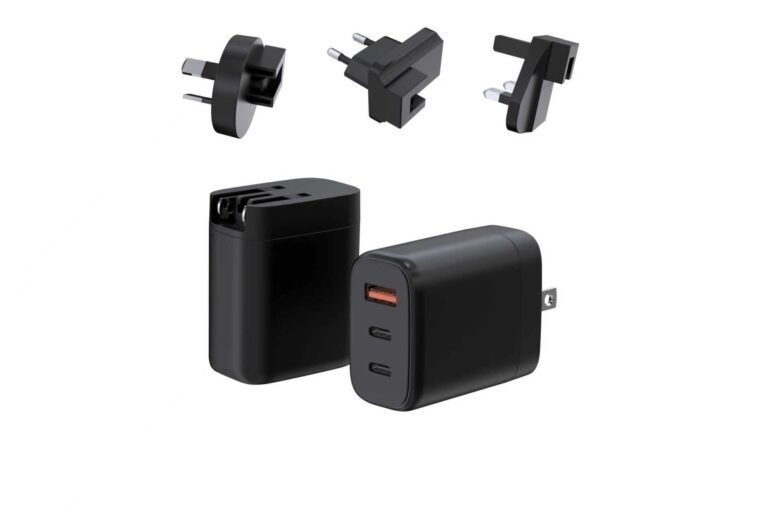
The best medical-grade USB-C charger configuration is the one whose cable and profile table match the device’s request, and this ranking is organized by profile class because the cable story changes with the power range. Standard Power Range (SPR) configurations rank chargers by profile coverage and cable rating, Extended Power Range (EPR) configurations rank them by the higher-voltage cable story, and multi-port configurations rank them by the split and the priority order. Every entry is scored as a system — charger, cable and device are one configuration.
Key takeaways
- The cable and the profile are part of the medical USB-C configuration, not accessories.
- SPR profiles up to 100W typically need a 5A e-marked cable; EPR profiles need a cable rated for the higher voltage and current.
- The document set names the exact configuration per market, and standards applicability is confirmed by the buyer’s QA or regulatory team.
Content updated: August 2026 — confirm current standards editions and model-specific details before ordering.
The cable and the profile are part of the medical USB-C configuration
USB-C charging is a negotiation: the charger advertises profiles in its profile table, the device requests what it needs and the cable carries the negotiated power. All three have to line up, and the ranking below treats them as one configuration. A charger with the right profile and the wrong cable delivers less than its headline; a charger with the right cable and the wrong profile never negotiates the top step. The buyer verifies the system, not the parts.
| Profile class | Power range | What the cable must carry |
|---|---|---|
| SPR (Standard Power Range) | Up to 100W | 5A e-marked cable for the top SPR profiles |
| EPR (Extended Power Range) | Above 100W | Cable rated for the higher voltage and current |
| Multi-port configurations | Shared across ports | Cable per port, matched to the negotiated profile |
SPR configurations rank chargers by profile coverage and cable rating
SPR configurations serve the majority of medical devices — monitors, pumps and portable equipment that request up to 100W. The ranking for this class puts profile coverage first: the charger’s profile table must include the voltage and current the device requests. The cable rating ranks second, because a 5A e-marked cable is typically required for the top SPR profiles, and an under-rated cable caps the delivered power.
| Rank | What to look for in an SPR configuration | Why it ranks there |
|---|---|---|
| 1 | Profile table covering the device request | The negotiation delivers what the device needs |
| 2 | 5A e-marked cable for the top profile | The path carries the negotiated power |
| 3 | Documented behavior with the real device | The system is validated, not assumed |
EPR configurations rank them by the higher-voltage cable story
EPR configurations serve devices that request above 100W, and the ranking for this class puts the cable story first because the voltage step is the new variable. EPR profiles use higher voltage steps, and the cable must be rated for that voltage and current — an under-rated or non-e-marked cable prevents the top profile from negotiating at all. A configuration that pairs the EPR profile with the rated cable outranks one that leaves the cable to chance.
| Rank | What to look for in an EPR configuration | Why it ranks there |
|---|---|---|
| 1 | Cable rated for the EPR voltage and current | The higher profile can negotiate |
| 2 | Profile table naming the EPR steps | The offer is explicit, not implied |
| 3 | Thermal behavior at the higher power | The system runs within its limits |
The EPR ranking also checks the device side: the device must request the EPR profile for the top step to matter, and the buyer confirms the request against the device specification.
Multi-port configurations rank them by the split and the priority order
Multi-port configurations serve several devices from one charger, and the ranking for this class puts the split map first. The split map shows each combination’s allocation — which port holds its share and which absorbs the reduction — and the priority order describes the design’s protection. A configuration whose split serves the real combination outranks one with the same port count and an unhelpful allocation.
| Rank | What to look for in a multi-port configuration | Why it ranks there |
|---|---|---|
| 1 | Published split map for the real combination | The pattern is served, not guessed |
| 2 | Cable per port matched to the profile | Every path delivers what the map promises |
| 3 | Priority order documented | The design’s protection is known before purchase |
The cable check is one line but decisive in the document set
Across all three classes, the cable check is the fastest decisive test in the document set. The cable rating, the e-marker and the length are part of the configuration, and the buyer names them in the specification. A cable that carries power but drops data, or that caps the profile, fails the configuration even when the charger and the device are correct.
The document set also names the cable: the profile table, the cable requirement and the batch records travel together, and each names the exact configuration. The model-match rule applies to the system, not just the charger.
The practical cable check goes beyond the rating on the package. The e-marker must be present where the profile requires it, the length should match the setup — a long cable adds resistance and can drop the negotiated profile — and the connector quality decides how the cable survives daily use in a clinical setting. The buyer specifies the cable with the charger and verifies the pair with the real device, because a configuration that works on paper can fail on the bench when the cable is the weak link. The cable is half the system, and the higher the profile, the more literal that is.
The same configuration discipline applies at the reorder. The profile table, the cable requirement and the batch records travel together, and the reorder is confirmed against the approved configuration rather than assumed to still hold. A cable substitution or a profile change re-enters the review, because the USB-C story is a system story and the system must stay documented. The buyer who verifies the pair at the sample, at the pilot and at every reorder keeps the medical USB-C configuration honest across its life.
The configuration also carries its markets. The profile table and the cable are specified once, but the documents follow the market list — each target market accepts its own evidence, and the document set is extended per market rather than assumed to transfer. A configuration that ships to two markets carries two document threads, and the file names the configuration and the market together. The profile, the cable and the markets are the three naming fields of the configuration, and the ranking closes when all three are written down.
Specifying the configuration means naming the profile, the cable and the market
The specification is complete when it names three things: the profile table the charger must offer, the cable that must carry it and the markets the documents must cover. The profile answers what the device can request, the cable answers whether the power arrives, and the markets answer which evidence is accepted. Naming all three turns the configuration into a brief that a supplier can quote and a reviewer can verify.
The classification and the markets shape the documents, and the standards decision is confirmed per configuration by the buyer’s QA team. The profile and cable story shape the engineering; the classification and the markets shape the evidence; and the system is verified together.
For the platform side of a USB-C medical program, the GaN Charger Category at WECENT lists USB-C platforms by power and ports, and the Quality Control page documents the production test flow and records behind the configurations. To confirm the profile and cable for your device, submit the device list and target markets to WECENT’s project engineering team — the review returns the profile table, the cable proposal and the document set for the program.
Frequently Asked Questions
What cable does a medical USB-C charger need?
The cable must be rated for the negotiated power, with an e-marker where required. The cable is part of the configuration, and an under-rated cable caps delivered power.
What is the difference between SPR and EPR profiles?
SPR covers profiles up to 100W; EPR adds profiles above 100W with higher voltage steps. The version determines the power ceiling and the cable story.
Can a USB-C medical charger charge laptops and phones too?
Yes, when its profiles cover their requests. Each device negotiates what it needs, and the configuration is validated against the actual devices.
Why does the cable matter more at higher power?
Because the profile negotiates through the cable. An under-rated or non-e-marked cable stops the top profile from negotiating at all, so the cable is decisive at EPR levels.
How do I read a split map?
As the allocation per combination: the priority device holds its share and the others take what remains. Read the row for the real combination and validate it with the devices.
What documents should the configuration carry?
Model-specific certificates and test reports, the profile table, cable requirements and batch records — each naming the exact configuration and the applicable standard edition.
Sources
This article is part of Medical Power Supplies, the guide that covers this topic in decision order.