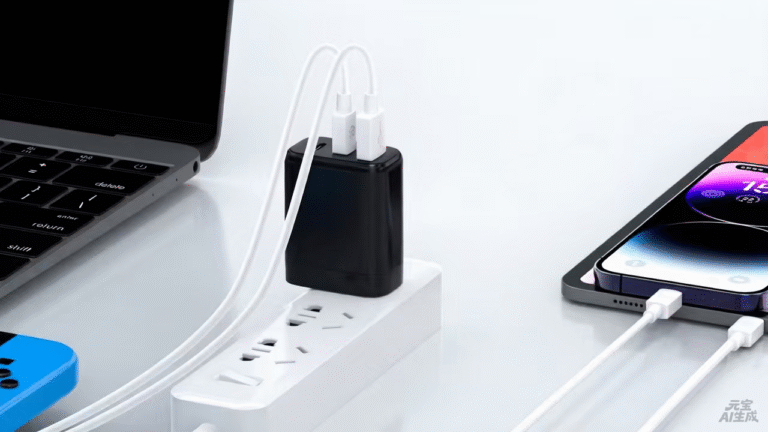
The best laptop charger is the one that matches the machine's original adapter request — not the biggest number on the shelf. This ranking is organized by wattage tier because a charger is only "best" relative to the laptop it powers: a 100W charger is the wrong answer for an ultrabook that asks for 45W, and a 65W charger is the wrong answer for a workstation that asks for 200W. The ranking below covers the four tiers that matter for laptops — 65W, 100W, 140W and 240W — and each entry is ranked for what it must deliver at that tier.
Key takeaways
- Read the original adapter's rating first; it sets the floor for the replacement.
- The 65W tier serves ultrabooks, the 100W tier serves full-size machines, and 140W/240W serve high-performance and workstation classes.
- A higher-wattage charger is safe when the voltage matches, but the right tier still beats the biggest one for size, cost and fit.
Content updated: August 2026 — confirm the machine's power request and the charger's profile table before ordering.
Reading the original adapter first sets the floor for every replacement decision
The laptop's original adapter is the single most reliable input in the buying decision. Its wattage rating tells you what the machine was designed to draw, and the replacement rule is simple: match or exceed that rating. A charger rated below the request will charge slowly or not at all under load; a charger rated above is safe when the voltage matches and the laptop negotiates the profile it needs — the machine draws only what it requests.
The original adapter is not the only input. The multi-device pattern matters too: a laptop that shares its charger with a phone and a tablet may justify a tier with headroom, and a machine that only charges overnight at idle may not. The tier ranking below assumes the common case — the laptop plus the devices that share the charger — and the verification section explains how to confirm the match.
The 65W tier is the replacement standard for the largest cluster of business laptops
The 65W tier is where the majority of business laptops live. Ultrabooks and productivity machines typically ship with 45–65W adapters, which makes 65W the replacement standard for the largest cluster of laptops. At this tier the ranking weighs three things: whether the charger holds 45–65W for the machine, whether a second port can top up a phone or tablet alongside, and whether the size still fits the travel bag.
| Rank | What to look for at 65W | Why it ranks there |
|---|---|---|
| 1 | Single-port 65W with the profile the machine requests | The clean replacement, smallest and most reliable |
| 2 | Dual-port 65W with a published split map | The laptop keeps its share while a phone tops up |
| 3 | 65W with interchangeable plugs | Only when the laptop travels across plug regions |
The tier's best pick for most users is the one that matches the original adapter one-for-one. The dual-port version earns the top slot when the phone rides along on the same brick.
The 100W tier serves full-size laptops and the multi-device bag that rides with them
Full-size laptops that ship with 90–100W adapters sit in the 100W tier. These machines draw more under sustained work, and the charger must hold its rated output rather than peak briefly. At this tier the ranking adds two criteria: whether the cable completes the configuration, and whether the split map keeps the laptop stable when other devices join.
The 100W tier also covers the laptop-plus-device pattern. A 100W charger that splits 65W to the laptop and a meaningful share to a phone or tablet serves the user who wants one brick for the whole bag. The cable matters here more than at 65W: 100W-class profiles typically need a 5A e-marked cable, and an under-rated cable caps the delivered power no matter what the charger advertises.
The tier's best pick is the charger that matches the machine's request and the multi-device pattern together. A single-port 100W is the honest answer for a laptop-only user; a multi-port 100W earns the top slot for the full-bag user.
There is also a clear "when it is overkill" test at this tier. A thin-and-light laptop that requests 45W, with no other device sharing the charger, is served by the 65W tier — the 100W brick adds cost, size and weight without benefit. The overkill test is the mirror of the match test: the tier earns its place when the machine's request or the multi-device pattern justifies it, and the buyer who runs both tests avoids both the underbuy and the overbuy.
The 140W tier belongs to high-performance laptops and runs on PD 3.1's EPR profiles
High-performance laptops — the machines with powerful CPUs and GPUs that shipped with 130–140W adapters — request the 140W tier. This tier runs on PD 3.1's Extended Power Range (EPR), which changes the story beyond the wattage number: the profile, the cable and the thermal behavior are all part of the configuration.
At 140W, the ranking puts sustained output first. A charger that holds 140W under a long load in a warm room outranks one that reaches the number briefly and throttles. The cable is the second criterion — EPR profiles need a cable rated for the higher voltage and current — and the documentation is the third, because the profile table is what the buyer verifies against the machine's request.
The tier's best pick is the EPR charger with a published profile table, a rated cable and the thermal record to back the sustained claim. The 140W tier is a sustained-power story, not a peak-power label.
The 240W tier exists for workstations and gaming rigs that draw continuous power
Workstations and high-end gaming laptops ask for the top of the common range: 240W-class power delivered through PD 3.1 EPR, with 48V/5A as the top profile. This tier is for machines that draw continuous power under rendering, simulation or long gaming sessions — and the charger must hold its output for hours, not minutes.
At 240W, the ranking adds thermal design and cable discipline to the sustained-output test. A 240W charger running near its limit generates real heat, and the airflow, component placement and enclosure decide whether it holds output or throttles. The cable must be rated for the top profile, and the buyer should verify the split map if the charger serves more than one device.
The tier's best pick is the workstation-class charger with the thermal record, the rated cable and the profile table that names the 240W tier explicitly. If the machine's request sits below 240W, the lower tier is the better pick — the tier is a match, not a badge.
Three verification checks confirm the tier before the purchase, not after it
The verification is three checks, and it applies at every tier. First, confirm the machine's request from the original adapter and the official specification. Second, read the charger's profile table and confirm it covers that request — the table, not the headline wattage, is the specification. Third, test the real combination: charge the machine under its normal workload and confirm the delivered behavior, with the cable that will actually be used.
The verification habit is worth repeating when the machine changes. A laptop refresh with a higher request moves the tier, and the charger decision is revisited with the same three checks. The tier map is a living document, and the verification is what keeps it honest.
The same three checks apply whether the purchase is a single replacement or a fleet standardization. A fleet that plans a laptop refresh can choose a tier with headroom now, so the standard survives the next generation of machines — the roadmap is part of the tier decision, and the verification is re-run at the refresh rather than assumed to still hold.
For the tier that fits your machine, the GaN Charger Category at WECENT lists platforms by power and ports, and the Quality Control page documents the production test flow behind the configurations. To confirm the tier for your device list, submit the machine models to WECENT's project engineering team — the review returns the profile, split and cable proposal for the configuration.
Frequently Asked Questions
Can a higher-wattage charger damage a laptop?
No, when the voltage matches and the laptop negotiates the profile it needs. The laptop draws only what it requests; the risk sits in the uncertified charger and the wrong cable, not in the wattage number.
How do I know which tier my laptop needs?
Read the original adapter's wattage rating and match or exceed it. The tier follows the machine's request, not the biggest number on the shelf.
Does a 100W charger need a special cable?
100W-class profiles typically need a 5A e-marked cable. An under-rated cable caps the delivered power regardless of the charger's rating, so the cable is part of the configuration.
Is a 140W charger safe for a 65W laptop?
Yes, when the voltage matches and the laptop negotiates the profile it needs. The charger offers the profiles; the machine selects what it requires — the extra capacity simply goes unused.
What is the difference between 140W and 240W chargers?
Both run on PD 3.1's EPR profiles, but they serve different machines: 140W covers high-performance laptops, and 240W covers workstations and high-end gaming rigs that draw continuous power. The machine's request decides the tier.
Should I buy the tier above my laptop's request?
Only if another device will share the charger and the split map justifies the headroom. Otherwise the matching tier is the better pick for size, cost and fit.
This article is part of Laptop Charger OEM & Fleet Programs, the guide that covers this topic in decision order.