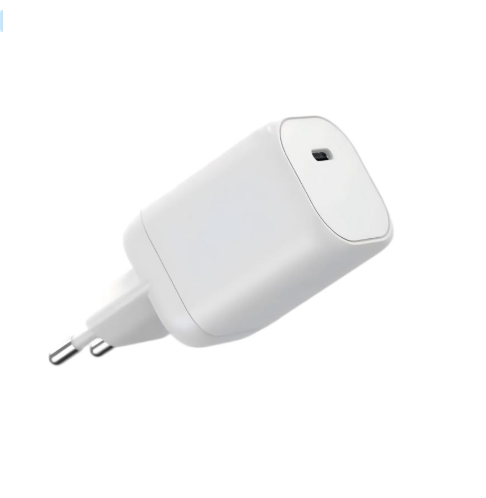
A medical cart’s charging station has one job: keep every device on the cart ready when the shift starts. That means sizing power for the laptop, the screen, the phone and the accessories together, choosing between direct, battery and hybrid architectures, and specifying thermal and safety behavior that survives a working hospital day. This guide walks through the charging problem inside a cart, the three power architectures, how to size the power budget, the thermal and safety considerations, and what to send a charger partner.
Key takeaways
- The cart’s power budget is the sum of simultaneous device loads plus headroom, not the sum of nameplate ratings.
- Architecture choice — direct, battery or hybrid — follows the shift schedule and the need for mobility.
- The specification covers ports, plugs, thermal behavior and documentation, not just wattage.
Content updated: August 2026 — confirm device-level power requirements and standards applicability per configuration.
Scope note: This guide covers charging architecture and power budgeting for medical carts and mobile workstations. It is industry information, not regulatory, legal or certification advice; standards applicability is decided by the buyer’s QA or regulatory team per configuration.
The Charging Problem Inside a Medical Cart
A cart concentrates several devices in one moving box: a laptop or tablet, a screen, a phone, sometimes a printer or a vital-signs peripheral. Each has its own power request, and the cart’s charging system has to satisfy them within a defined window — usually between shifts, sometimes during use.
Three constraints make the problem different from a desktop setup:
- Motion. The cart moves, so cables, connectors and the power source must tolerate transport.
- Cleanability. Surfaces are wiped down; the charging hardware must survive the environment and the cleaning routine.
- Availability. The cart is expected to be ready at shift start; a device that did not charge overnight is a workflow failure.
The design question is not “what is the biggest device’s wattage?” but “what combination of devices must charge at the same time, and for how long?”
Real-world cart patterns add texture to the answer. A cart used across three shifts may be docked for only part of the night, with a laptop running updates during the docked window. Another cart may be pulled into a corridor for hours and return with every device partly discharged. The charging design has to cover the pattern that actually happens, not the ideal one, which is why the shift schedule is part of the specification rather than a background detail.
Three Power Architectures Compared
| Architecture | How it works | Best when |
|---|---|---|
| Direct power | The cart is plugged into a wall outlet and devices charge while connected | The cart docks at a fixed station between shifts |
| Battery power | An onboard battery powers the cart untethered and recharges at the dock | The cart is used away from outlets for long stretches |
| Hybrid | A battery plus a charger that tops it up at the dock | The cart needs both mobility and continuous readiness |
The choice follows the shift schedule. A cart that returns to the same charging station every shift can run direct power with a simpler battery strategy. A cart that spends hours in corridors needs an onboard battery and a charging window sized to restore it. Most medical carts end up hybrid because the battery covers short-term mobility while the dock charger restores the system between shifts.
Sizing Power for Laptop, Screen and Phone Together
The power budget is a simultaneous-load calculation, not a nameplate addition. Add the power each device actually draws when the cart is used or charged, then add headroom for start-up and future devices.
| Example cart load | Power request | Notes |
|---|---|---|
| Laptop or tablet | 45–65W | Depends on model and workload |
| Screen | 15–30W | Confirm the actual draw |
| Phone and accessories | 15–30W | Charging share |
| Headroom | 20–30% | For start-up and additions |
The example assumes a laptop-class cart with a modest screen; the numbers must be confirmed per device. A cart charger rated below the simultaneous request will slow-charge under load, and a charger rated well above it is safe because each device negotiates what it needs. The output should be split so the laptop’s high-power port holds its share while the phone and screen take the rest.
Port priority is part of the split. On a multi-port cart charger, the laptop port should hold its negotiated share when other devices join, and the lower-priority ports should absorb the reduction. The behavior is published as a split map, and it is worth reading before the configuration is frozen: a cart that charges the phone first and throttles the laptop has the wrong priority for a working shift. Specify the priority order explicitly, because the split map, not the total wattage, describes what the cart can do.
Thermal and Safety Considerations
Charging several devices inside an enclosed cart concentrates heat in a small space. The design should allow airflow, keep the charger away from heat-sensitive components, and hold output through a full charge cycle at the ambient temperature of the ward. Charging behavior during prolonged use — not just the first hour — is the behavior that matters.
On the safety side, the cart’s power components are evaluated against the applicable framework, which is confirmed by the buyer’s QA or regulatory team. The documentation expectations follow the device classification: certificates and test reports that name the exact configuration, and batch records for reorders. A cart charger that looks suitable but carries a generic certificate has not completed the evidence chain.
Enclosure and cleaning belong in the same review. Carts are wiped down and sometimes washed; the charging hardware should survive the cleaning routine, and cable entries should be protected from strain and moisture. Heat from charging several devices in an enclosed cart raises the ambient the charger works in, so the thermal check should run in the enclosure, not on an open bench. These details are easy to skip in a spec review and hard to fix after deployment.
Design review questions for the cart spec: The engineering review for a cart opens with the simultaneous device list and the shift schedule, because those two inputs decide the power budget, the port split and the architecture. The thermal check belongs in the enclosure, not on an open bench: record the ambient temperature, the airflow path, the number of devices charging at once, the test duration and the case-temperature measurement point.
What to Specify When Sourcing Cart Chargers
Bring a short specification to the charger partner:
- The device list and loads. Every device on the cart and its real draw.
- The shift schedule. How long the cart is docked, and when devices must be ready.
- The architecture. Direct, battery or hybrid, and where the charger sits in it.
- The environment. Ward, clinic or home, plus cleaning and ambient conditions.
- The documentation. Which certificates and reports must name the configuration.
The partner should return a power-budget calculation, a port-split proposal and a sample path — not a single adapter number. If the response is a generic charger, the partner has not engaged with the cart problem.
A written RFQ makes the comparison fair across partners. List the cart devices and their loads, the shift schedule, the architecture choice, the environment, and the required documents; ask each partner to respond to the same five fields. The comparison then runs on the power budget, the split proposal and the sample plan, which are the decisions that matter — not on a price list for a generic adapter. Keep the responses in the project file with the later sample results.
For a cart program, the WEG Series GaN Chargers are the high-power multi-port platform designed for laptop-plus-device stacks. Submit the device list and shift schedule to WECENT’s project engineering team — the review returns a power-budget and configuration proposal for the cart, including the port split and documentation set. The WECENT FAQ covers the certification questions that come up during selection.
Frequently Asked Questions
How many watts does a medical cart charger need?
It depends on the simultaneous load: a laptop, a screen and a phone together typically need a 65–100W-class charger with headroom. Confirm the real draw of each device and the charging window before choosing.
Can one charger power the laptop and the screen at the same time?
Yes, when the charger’s split map covers that combination and the ports deliver the requested power together. Check the simultaneous output, not just the total wattage on the box.
Is an onboard battery required for every medical cart?
No. Carts that return to a fixed dock between shifts can run direct power with a simpler battery strategy. Battery and hybrid architectures earn their cost when the cart works away from outlets for long stretches.
Why does the cart charge slowly when devices are used at the same time?
Charging and using devices at once divides the available power. The behavior should match the published split map; if the drop is deeper than the map, check the cable and the port order first.
Which cart power architecture is easiest to maintain?
A direct-powered cart with one charger SKU and a published split map is the simplest to service; battery and hybrid architectures add parts, routines and failure modes that must be justified by the duty cycle. Match the architecture to the shift, not the brochure.
What should the cart power-budget document contain?
The simultaneous device list and their loads, the shift schedule, the architecture choice, the port-priority order and the enclosure test conditions. With those fields filled, the document is a specification rather than a wish list, and it can be handed to any charger partner for comparison.
Sources
- WECENT – WEG Series GaN Chargers
- WECENT – Quality Control
- WECENT – FAQ
- WECENT – Contact Us
- International Electrotechnical Commission – IEC 60601 Standards
- U.S. Consumer Product Safety Commission
This article is part of Healthcare Device Charging, the guide that covers this topic in decision order.