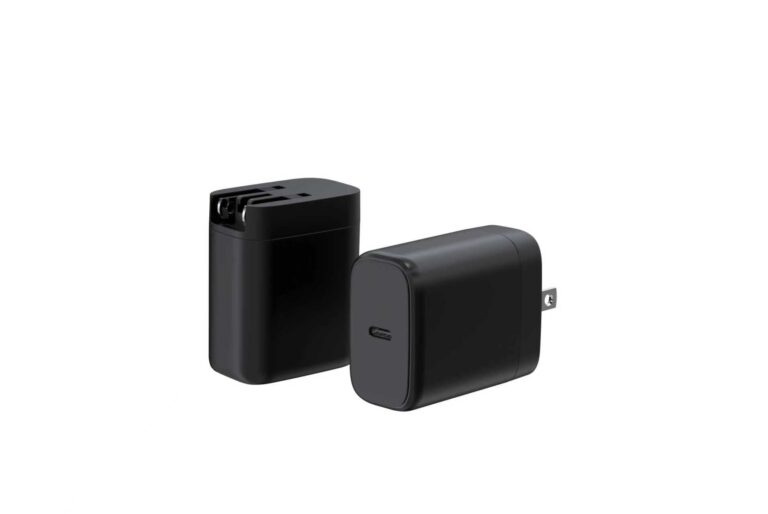
The power station USB-C PD input is a specification with five parts, and this ranking is built around them: the input wattage band, the protocol list, the cable rating, the ambient and the duty cycle. Each spec ranks because it closes a specific gap — what the station accepts, what it negotiates, how the power arrives, where the charging happens and how long the session runs. The ranking is a matching order, and filling the five specs turns the adapter search into a match instead of a guess.
Key takeaways
- Five input specs decide whether an adapter can charge a station: wattage band, protocol, cable, ambient and duty cycle.
- The input wattage band is the first spec to match; the protocol list is the second that fallback modes hide.
- Filling the five specs turns the adapter search into a match, verified with the station's own input table.
Content updated: August 2026 — confirm current station input tables and adapter specifications before ordering.
Five input specs decide whether an adapter can charge a station
The station's USB-C PD input is not one number; it is a specification with five parts, and each part decides a different question. The wattage band decides what the station accepts, the protocol list decides what it negotiates, the cable rating decides whether the power arrives, the ambient decides where the charging can happen and the duty cycle decides how long the session can run. The ranking below is the matching order, and a buyer who fills all five gets a match rather than a guess.
| Rank | Input spec | The question it answers |
|---|---|---|
| 1 | Input wattage band | What the station accepts |
| 2 | Protocol list | What the station negotiates |
| 3 | Cable rating | Whether the power arrives |
| 4 | Ambient range | Where the charging can happen |
| 5 | Duty cycle | How long the session can run |
The input wattage band is the first spec to match
The input wattage band is the station's acceptance window: the range of input power it will negotiate. The first spec to match is this band — the adapter's top profile should sit at or above the station's accepted input, because a station that accepts 100W charges at 100W from a 100W or larger adapter. Matching the band first prevents the most common mismatch: an adapter below the band that charges slowly or not at all.
| Rank | What to check in the wattage band | Why it ranks first |
|---|---|---|
| 1 | The station's accepted input range | The acceptance window is known |
| 2 | The adapter's top profile against the band | The offer covers the window |
| 3 | The fallback behavior below the band | The mismatch is understood |
The protocol list is the second spec that fallback modes hide
The protocol list is the second spec because the station negotiates through it. The station's input table names the protocols it supports — PD and its versions, PPS where applicable and any legacy modes — and the adapter must cover the protocol the station uses for input. Fallback modes hide the story: an adapter that negotiates a lower fallback profile charges slowly, and the buyer who checks the protocol list sees the mismatch before the order.
| Rank | What to check in the protocol list | Why it ranks there |
|---|---|---|
| 1 | The station's input protocol | The negotiation language is known |
| 2 | The adapter's protocol coverage | The station's mode is supported |
| 3 | The version and profile implications | The top step is reachable |
The cable rating is the third spec for higher input tiers
The cable rating is the third spec because the profile negotiates through the cable. A 5A e-marked cable is typically required for 100W-class input, and stations that accept EPR input need a cable rated for the higher voltage and current. An under-rated cable caps the delivered power regardless of the adapter, and the "why is it slow" question is answered by the cable before anything else.
| Rank | What to check in the cable | Why it ranks there |
|---|---|---|
| 1 | Rating for the negotiated profile | The power arrives |
| 2 | E-marker where required | The top profile can negotiate |
| 3 | Length and quality for the setup | The path stays clean |
Ambient and duty cycle are the fourth and fifth specs
The ambient spec answers where the charging can happen: the station may live in a garage, a workshop or a home, and the adapter must hold its output within that temperature range. The duty-cycle spec answers how long the session can run: a station that recharges overnight has a different story than one that must top up fast between uses. Both rank because the environment and the pattern are part of the input match.
| Rank | What to check in the ambient and duty cycle | Why it ranks there |
|---|---|---|
| 1 | Ambient range for the deployment | The adapter holds output where it lives |
| 2 | Session length and restore window | The duty cycle is served |
| 3 | Thermal data with conditions | The numbers have context |
The common failure modes make the five specs concrete. The most frequent mismatch is an adapter below the input band, which charges slowly or not at all; the second is a protocol miss, where the adapter falls back to a slower profile despite the right wattage; and the third is the cable, which caps the delivered power even when the adapter is correct. Each failure maps to a row in the five-spec sheet — the band row, the protocol row and the cable row — which is why the sheet is a matching tool rather than a formality. A buyer who fills the rows before shopping catches the mismatch on paper, where it is free, instead of at the station, where it is expensive.
The sheet also survives the station's life. A firmware update or a new station model can change the input table, and the five rows are re-read against the current specification at the reorder rather than carried over unchanged. The cable row is re-checked with the configuration, and a substitution re-enters the review. The five-spec sheet is a living document, and the buyer who re-fills it when the station changes keeps the input match honest from the first order to every refresh.
The verification session closes the sheet. The buyer runs a real charge from a defined state, records the delivered input and compares it with the five rows — the band, the protocol, the cable, the ambient and the duty cycle. The session is the evidence that the sheet is not just paperwork, and the record is kept with the station file so the next check compares like with like. The five specs and the session are the two halves of the input match, and both are required.
The sheet also makes the supplier conversation sharper. A buyer who sends the five rows with the RFQ gets quotes that answer the match in order, and the supplier's response is compared against the sheet rather than against a headline. The five-spec sheet is the shared language of the input match, and the buyer who uses it turns the adapter search into a verification.
Filling the five specs turns the adapter search into a match
The five specs work as one matching sheet: the wattage band, the protocol list, the cable, the ambient and the duty cycle filled in from the station's own input table. With the sheet complete, the adapter search becomes a comparison of offers against the five rows, and the candidate that fits all five is the match. The station's input table is the authority, and the sheet is the record.
For the adapter side of a power station program, the GaN Charger Category at WECENT lists adapter platforms by power and ports, and the Quality Control page documents the production test flow and records behind the configurations. To fill the five specs for your station, submit the input table and the environment to WECENT's project engineering team — the review returns the adapter options, the cable and the matching sheet for the configuration.
Frequently Asked Questions
How do I find my station's input wattage band?
Read the station's input specification: the wattage it accepts over USB-C PD. The input table in the manual or the product page is the authority.
Why does the protocol list matter for a power station?
Because the station negotiates input through its supported protocols. If the adapter does not cover the station's input protocol, it falls back to a slower profile.
What cable should ship with the station's input adapter?
A cable rated for the negotiated profile — 5A e-marked for 100W-class input and a higher-rated cable for EPR input. The cable is part of the configuration, specified with the adapter.
Does ambient temperature affect the input adapter?
Yes. The adapter holds its output within its thermal limits, and the ambient range of the deployment is part of the input match.
Can I use any USB-C PD adapter on my station?
Only if it fills the five specs: the wattage band, the protocol list, the cable, the ambient and the duty cycle. A mismatch in any row caps the charging.
How do I verify the match?
Run a real charging session and compare the delivered input with the station's input table. The session is the evidence.
This article is part of Power Banks & Power Stations, the guide that covers this topic in decision order.