Laptop charging is splitting into two roads: universal USB PD 3.1 with the EPR extension that reaches 240W, and brand-proprietary connectors that keep full wattage inside each ecosystem. Understanding both roads — and how to test compatibility — is the difference between a charger that works everywhere and one that works nowhere.
The two approaches to laptop charging today
The universal road uses USB-C and USB PD: one connector, one negotiation language, and chargers that work across brands up to the negotiated wattage. The proprietary road uses brand-specific connectors and protocols that deliver full wattage simply but only inside the brand's ecosystem. Most brands now sit on both roads — USB-C for compatibility, proprietary for full power.
The two roads are converging in practice: brands ship USB-C ports for compatibility while keeping proprietary connectors for full wattage, and users own both chargers. The convergence means the buying decision is about the USB-C layer — what wattage the laptop accepts over USB-C, and which PD profiles the charger offers. Understanding the split explains the entire laptop-charger market: universal chargers sell on coverage, OEM bricks sell on full speed, and the best kits carry one of each.
How PD 3.1 EPR unlocks 140W and 240W
Standard PD stopped at 100W (20V/5A); PD 3.1 EPR adds 28V, 36V and 48V profiles that reach 140W, 180W and 240W. Reaching those levels requires three matching pieces: an EPR-capable laptop, an EPR charger, and an EPR-rated cable. Miss any one, and the session falls back to the 100W ceiling.
The unlock is a voltage story: EPR's 28V, 36V and 48V profiles carry the same 5A current at higher power, which is how USB-C reaches wattages that once required proprietary connectors. The catch is the chain — each link (laptop, charger, cable) must speak EPR, and the weakest link sets the ceiling. For buyers, this means checking the cable's EPR rating with the same care as the charger's, because a 60W cable silently caps a 140W setup.
Why brands keep proprietary connectors
Proprietary connectors solve three problems the universal road makes harder: full wattage without EPR negotiation complexity, cheaper high-current cables, and a captive accessory ecosystem. The costs are equally real: per-brand chargers, no cross-compatibility, and bulky bricks. For the user, the proprietary road is simple but locked; the universal road is open but requires checking the EPR chain.
Real-world compatibility between brands
Real-world compatibility is a negotiation result, not a brand promise: a Dell, HP or Lenovo with USB-C PD input accepts a certified PD charger at the negotiated wattage — often 65W or 100W — even when the OEM brick is proprietary and higher. The caveat is the USB-C input limit: some laptops cap USB-C at 65W or 100W regardless of the charger. Compatibility is therefore "up to the laptop's USB-C limit," and that limit is the first number to check.
Real-world compatibility also depends on the negotiation behavior, not just the spec: some laptops accept any certified PD charger, while others are picky about the charger's profile table or firmware. The reliable test is a power meter with the actual charger and cable, at the laptop's typical workload. Brands like Dell and Lenovo publish USB-C input limits that narrow the compatibility question, and third-party charger reviews add real-device evidence. The pattern across the industry is consistent: certified PD chargers work at the negotiated wattage, and the negotiation is measurable, predictable and documented.
Third-party charger caveats
Third-party chargers work when three conditions hold: the laptop accepts USB-C PD, the charger's protocol table covers the negotiated profile, and the cable is rated for the current. The common failures are a PD-only charger on a PPS-dependent laptop, an uncertified charger that negotiates poorly, and a 60W cable on a 100W session. Each is diagnosable with a power meter.
How the landscape helps buyers choose
The landscape favors buying the widest compatible charger: a certified PD 3.1 charger with a wide PPS range covers current laptops at their USB-C limit and future EPR laptops at higher speeds. Proprietary bricks stay for the machines that need them. The universal charger is the travel and spare; the OEM brick is the desk primary.
Signs a laptop will accept a third-party charger
Three signs suggest good third-party compatibility: USB-C charging ports (often marked with a lightning/PD icon), a published USB-C input wattage in the spec, and a manual that mentions USB-C PD. Laptops with only proprietary charging ports or undocumented USB-C input limits are the risky ones — check the official spec before buying.
How to test compatibility before buying
The test is two minutes with a power meter: connect the charger, confirm the laptop recognizes it and shows charging, and read the negotiated wattage. Compare against the laptop's USB-C limit. If the meter shows the expected profile and the battery gains under your workload, the pairing works; if the laptop does not recognize the charger, stop — forcing it risks nothing with a certified charger, but a counterfeit one is not worth the test.
Warranty implications of non-original chargers
Warranty risk is mostly a myth with certified chargers: a certified PD charger that meets the laptop's input spec is unlikely to void a warranty in practice, while damage from an uncertified charger can be refused. The distinction is certification, not brand. Keep the receipt and certification evidence for third-party chargers, and check the laptop's warranty language if the policy explicitly restricts non-OEM accessories.
Which laptops are easiest to charge over USB-C
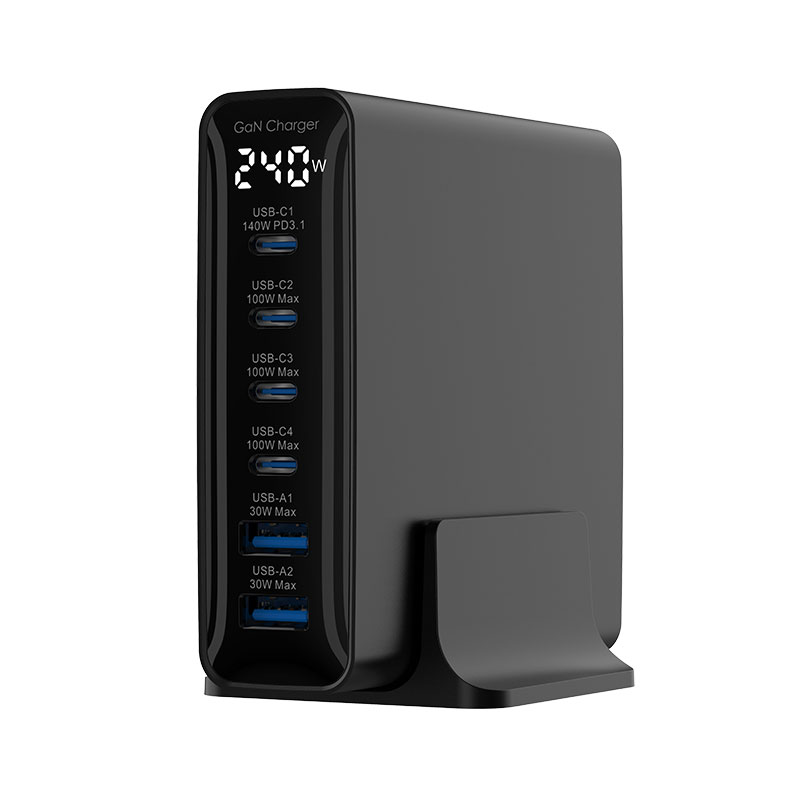
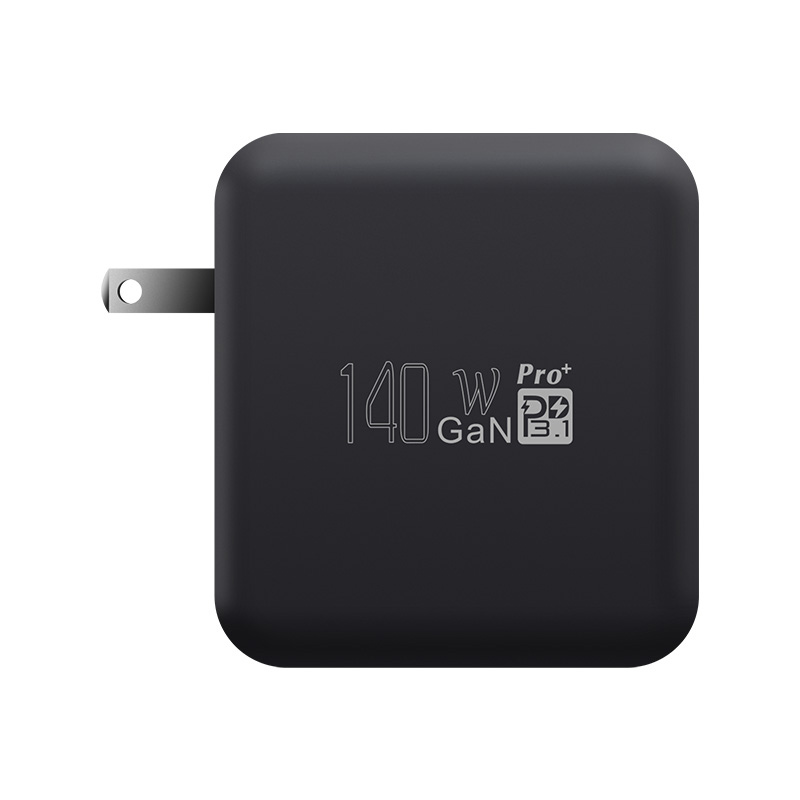
The easiest laptops are those with full USB-C PD support and published input limits: modern ultrabooks, many business laptops, and the growing EPR-capable workstation segment. The hardest are older machines with proprietary-only ports and brands that cap USB-C at low wattage. The WEG-240 240W charger and the WEP-140-CCCA 140W model cover the EPR end of the spectrum.
Future-proofing purchases as EPR spreads
EPR is spreading faster than most users expect: each new workstation generation adds EPR support, and the cable and charger market is following. Buying a PD 3.1 EPR charger now future-proofs the accessory across two laptop generations, because the same charger negotiates 100W with older machines and 140–240W with newer ones. The rule is to buy the protocol, not the wattage label.
EPR adoption is following the classic connector curve: new workstation generations add support first, then business laptops, then mainstream models, and the accessory market follows. Buying a PD 3.1 EPR charger now means the same brick negotiates 100W with today's laptops and 140–240W with tomorrow's — the protocol, not the wattage label, is the future-proofing investment. The same logic applies to cables: an EPR-rated cable bought today outlives three laptop generations.
FAQ
Do Dell, HP and Lenovo laptops use USB PD?
Most modern models support USB-C PD at 65–100W alongside their proprietary chargers; some newer models add EPR at higher wattage. Check each model's USB-C input limit.
What is PD 3.1 EPR?
The Extended Power Range of USB PD 3.1, adding 28V/36V/48V profiles that deliver 140W, 180W and 240W over USB-C when the laptop, charger and cable all support it.
Can a third-party charger charge my laptop?
If the laptop accepts USB-C PD and the charger is certified with the right protocol table, yes — at the laptop's USB-C limit. Verify with a power meter and check the USB-C input spec first.
Will using a third-party charger void my laptop warranty?
Generally no, if the charger is certified and matches the laptop's input spec; damage from uncertified chargers can be refused. Check the laptop's warranty language if it restricts non-OEM accessories.
Choosing laptop chargers across a mixed fleet? Send your device list to our team through the contact page — we can match PD 3.1 EPR and universal chargers to your laptops and verify them in testing.
This article is part of Laptop Chargers, the guide that covers this topic in decision order.