USB-C is the connector on every modern device, and Micro USB is the one it replaced — the two differ in shape, charging speed and durability, and they are not interchangeable. This guide explains the practical differences, what still uses Micro USB, and what it means when you choose a charging port for your product.
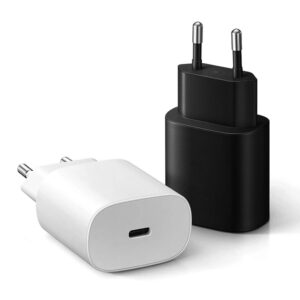
USB-C vs Micro USB: The 30-Second Answer
USB-C is reversible, faster, more durable and supports far more power than Micro USB. Micro USB was the charging standard of the 2010s, but it is limited to roughly 5V/2A in practice, its connector wears out faster, and it cannot negotiate modern fast-charging protocols. If you are buying a new device or designing one, USB-C is the answer.
Why USB-C Replaced Micro USB
The replacement happened for three reasons: one reversible plug for every device (phones, tablets, laptops, accessories), a single protocol stack for data and power, and a connector rated for far more insertions. Micro USB’s flat connector was cheap but fragile — the common failure point was the port breaking inside the device.
Charging Speed: USB-C PD vs Micro USB’s 5V Limits
Micro USB is effectively limited to 5V output, capping charging around 10W for most devices. USB-C opens the door to USB Power Delivery, which negotiates 9V, 15V, 20V and beyond — 65W laptop charging over the same port. The protocol layer is covered in our article on what a PD 3.0 charger is and why it matters for B2B buyers.
Durability and Reversible Design
USB-C is rated for roughly 10,000 insertions versus Micro USB’s lower rating, and it plugs in either way up — no more checking orientation in the dark. For products that get plugged and unplugged daily, that durability difference is a real warranty and return-rate issue, which is why even budget devices moved to USB-C.
Compatibility: Can I Use Micro USB Cables with USB-C?
No — the connectors are physically different, and an adapter only works for power, not for the full protocol. A Micro-USB-to-USB-C adapter may charge a device at basic speeds but cannot carry USB-C PD negotiation. If you still own Micro USB devices, keep one legacy cable around, but do not build a new product on the connector.
What This Means for Your Product’s Charging Port
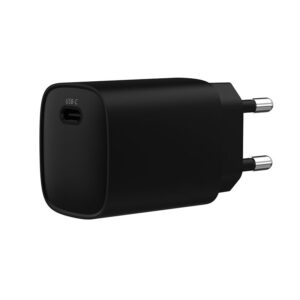
For an OEM or brand, the port decision is simple: USB-C, with PD where the device can use it. It future-proofs the SKU, reduces cable confusion, and lets one charger serve the whole lineup. Our 33W GaN charger with EU/US/AUS plug shows a typical phone-tier platform, and the OEM/ODM page covers how ports and protocols are specified per model.
Which Devices Still Use Micro USB in 2026?
Micro USB is not dead yet — it survives in budget and legacy products, and knowing where it lives helps you plan cables and compatibility.
- Budget accessories — cheap earbuds, small speakers, keyboards and mice still ship with Micro USB to save cost.
- Legacy devices — older power banks, cameras, handheld games and some smart-home sensors.
- Industrial and medical tools — long-life equipment keeps Micro USB ports to avoid redesigning cables.
The trend is one-way: new designs use USB-C, and the EU’s common charger rules accelerate the exit. But a Micro USB cable in the drawer still has a use for a few more years.
USB-C to Micro USB Adapters: What Works and What Doesn’t
Adapters between the two connectors exist, and their limits matter more than their promises.
- Power — a USB-C to Micro USB adapter can carry basic 5V charging, but it cannot negotiate USB-C PD fast charging.
- Data — low-speed data works; high-speed USB-C data and video modes do not pass through a simple adapter.
- Safety — cheap adapters may lack proper shielding or current ratings; buy a certified one for anything that matters.
For charging a Micro USB device from a USB-C charger, a Micro-USB cable is usually the better choice than an adapter.
How to Tell if Your Cable Is USB-C or Micro USB
The two connectors look similar at a glance, and the wrong guess causes a lot of “why won’t it plug in” moments. Three quick checks settle it.
- Shape — USB-C is an oval with rounded ends and is reversible; Micro USB is a flat trapezoid with one bevel.
- Size — USB-C is slightly wider and flatter; Micro USB is narrower and has a visible clip on one side.
- Insertion — USB-C plugs in either way; Micro USB only fits one way.
If the port is on a modern phone or laptop, it is USB-C; if it is on an older accessory, it is likely Micro USB.
FAQ
Is USB-C faster than Micro USB? It can be — with PD, USB-C carries far more power and data; on basic 5V/2A charging the speed is similar.
Can I charge a Micro USB device with a USB-C charger? Only with a Micro-USB cable; the USB-C charger output is fine as long as the voltage matches.
Why does Micro USB break so often? The connector’s spring contacts wear and the port is less rigid than USB-C’s design.
Do all new devices use USB-C? Nearly all phones, tablets, laptops and accessories — and the EU’s common charger rules accelerate it.
Can I OEM a device with a USB-C port? Yes, including PD fast charging. Start from the GaN charger product line, the OEM/ODM page, or the contact page.
References: USB-IF, Wikipedia’s USB-C article, Wikipedia’s Micro USB article, and practical guidance from How-To Geek.
Further reading: Wikipedia USB hardware, HowStuffWorks.
This article is part of USB-C PD and PPS, the guide that covers this topic in decision order.