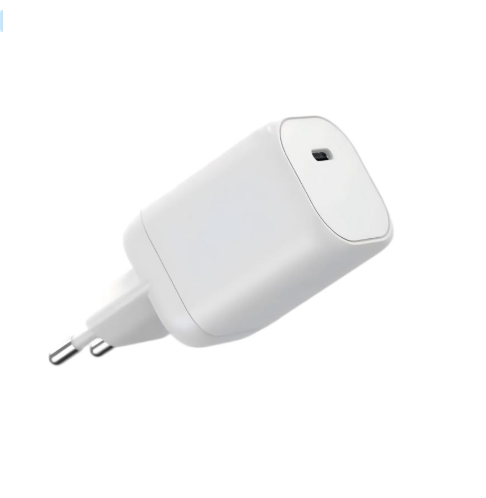
The version number on a USB-C charger tells a real story: PD 3.0 standardized the profiles most devices use today, and PD 3.1 added the Extended Power Range that powers the next laptop tier. For a buyer, the version matters because it defines the power ceiling, the cable requirement and the compatibility story. This guide explains the difference in one page, the SPR and EPR ranges, backward compatibility realities, the cable and connector implications, and which version to specify.
Key takeaways
- PD 3.0 covers up to 100W; PD 3.1 adds EPR profiles above 100W.
- The version matters because it defines the power ceiling and the cable story.
- Backward compatibility works in practice, with the profile and cable doing the work.
Content updated: August 2026 — version details follow current USB-IF material; confirm model-specific specifications before ordering.
Scope note: This guide is general industry information; version and cable details are confirmed against current USB-IF specifications.
From PD 3.0 to PD 3.1 in One Page
USB Power Delivery 3.0 standardized the fixed-profile structure that most devices use: common voltage steps up to 100W, with PPS for phones that support it. PD 3.1 extended the range with the Extended Power Range (EPR), adding profiles above 100W — 28V, 36V and 48V steps that serve high-performance laptops and workstations.
The version difference is a range difference. SPR (Standard Power Range) covers the devices most people own; EPR covers the premium tier. The charger's version determines which range it can advertise, and the device selects the profile it needs from what is offered.
The version also explains the product line. A PD 3.1 charger is not "better" in the abstract; it is built for the higher range. A buyer whose devices sit in SPR does not need EPR, and one whose laptop requests EPR cannot be served by an SPR charger.
The version history also matters for the ecosystem. As high-performance machines move to USB-C, the EPR profile becomes the common language for the premium tier, and the market transitions from proprietary adapters to standard ones. The version story is a category story as much as a product story.
The version is read from the profile table, not the box. A charger labeled PD 3.1 that lists only SPR profiles is an SPR charger with a label; one that lists EPR steps is the real thing. The label starts the conversation; the table finishes it.
SPR vs EPR Power Ranges
| Range | Power | Typical devices |
|---|---|---|
| SPR | Up to 100W | Phones, tablets, most laptops |
| EPR | Above 100W | High-performance laptops, workstations |
The table is the version story in one view. The buyer's device list decides which range matters, and the charger's profile table confirms whether the range is offered. The version number is a label; the profile table is the specification.
The EPR steps also carry their own cable expectations. A 28V or 48V profile needs a cable rated for the higher voltage and current, which is why the EPR story includes the cable in a way the SPR story does not.
The range choice also affects the multi-device story. An EPR charger serving a high-performance laptop can also serve SPR devices, because the negotiation covers both ranges. The higher range is upward compatible by design.
The range also shapes the travel story. A user with a high-performance laptop and a phone can carry one EPR charger for both, which is the tier's practical value. The single-charger claim is tested with the real devices, and the split map shows the combination.
The SPR/EPR distinction is also the product line's map. A line that covers SPR only serves the mass market; one that adds EPR serves the premium cluster. The line decision follows the market audit, and the range is the tier's identity.
Backward Compatibility Realities
Backward compatibility works in practice, with the profile and the cable doing the work. A PD 3.1 charger negotiates an SPR profile with an SPR device, and the device receives what it requests. The version difference does not break the connection; it widens the offer.
The realities to plan for:
- An SPR device on an EPR charger charges at its SPR profile.
- An EPR device on an SPR charger falls back to the highest SPR profile.
- The cable must carry the negotiated profile in both directions.
The compatibility question is answered by the profile table, not the version label. A buyer who reads the table sees exactly what the charger offers and what the device will accept.
The compatibility test is a real-device check. Charge the SPR device on the EPR charger, confirm the negotiated profile and measure the rate at a defined battery level. The test converts the compatibility claim into evidence.
The backward story also covers the cable. The same cable that carries the EPR profile carries the SPR profile, and an under-rated cable degrades both. The cable is specified for the highest profile the configuration will negotiate.
Cable and Connector Implications
The connector is the same USB-C in both ranges; the cable is the part that changes. SPR profiles up to 100W typically need a 5A e-marked cable, and EPR profiles need a cable rated for the higher voltage and current. The cable is part of the configuration, specified with the charger rather than added later.
The cable question is short and decisive. A PD 3.1 charger with a basic cable negotiates below its rating, and the "why is it slow" question is answered by the cable before anything else. The packaging prints the requirement, and support repeats it.
The connector story is the point of the upgrade: the high-power machine joins the same connector ecosystem as everything else. The version and the cable are what change, and the connector is what stays standard.
The connector implication also includes the durability question. A charger that travels with a high-power laptop is plugged and unplugged daily, and the connector and cable survive the duty. The specification names the expected insertion cycles and the cable's strain relief.
The connector is also the simplification story. One connector across the device family replaces the drawer of proprietary cables, and the EPR tier extends that simplification to the premium machines. The connector is the standard part of the version story.
Which Version to Specify
The specification follows the device list:
- List the devices and their power requests.
- Find the highest request — does it sit in SPR or EPR?
- Choose the version that covers the request with margin.
- Specify the cable for the top profile.
- Confirm the documentation for the market.
For a phone-and-laptop line, PD 3.0 SPR covers the need; for a high-performance laptop line, PD 3.1 EPR is the match. The version is a consequence of the device list, and the profile table is the evidence.
The specification is also a future-proofing decision. A line that expects high-performance machines in the next refresh can specify EPR now, so the charger survives the transition. The roadmap is part of the version decision.
The documentation story follows the version. The certificate names the configuration and the standard edition, and the cable is part of the documented set. The version, the profile, the cable and the documents are one specification.
Whether the purchase is a single charger or a product line, the version decision is made the same way: from the device list, through the profile table, to the cable and the documents. The version number is the shorthand; the specification is the substance, and a buyer who reads the table rather than the label gets the charger the devices actually need.
A verification note for buyers: The first document is the profile table, because it shows which range the charger actually offers. A version label without the table is marketing; the table is the specification.
The version decision becomes concrete in the WEG Series GaN Chargers at WECENT, the high-power multi-port platform, and the Quality Control page describes the production test flow and records. To confirm which version fits your devices, submit the device list to WECENT's project engineering team — the review returns the profile, version and cable proposal for the configuration.
Frequently Asked Questions
How does the PD version set the power ceiling?
PD 3.0 covers profiles up to 100W; PD 3.1 adds EPR profiles above 100W with higher voltage steps. The version determines the power ceiling and the cable story.
Is a PD 3.1 charger compatible with older devices?
Yes. An SPR device negotiates an SPR profile on an EPR charger and receives what it requests. The profile table and the cable do the work.
What cable does EPR need?
A cable rated for the higher voltage and current, capable of carrying the EPR profile; an under-rated cord limits what the charger can deliver.
Do I need PD 3.1 for a phone and laptop line?
Usually not. SPR covers phones, tablets and most laptops; EPR serves high-performance machines that request above 100W. The device list decides.
Which version should I specify?
The one that covers the highest device request with margin. Read the profile table, confirm the cable and choose the version that matches the fleet.
This article is part of USB-C PD and PPS, the guide that covers this topic in decision order.