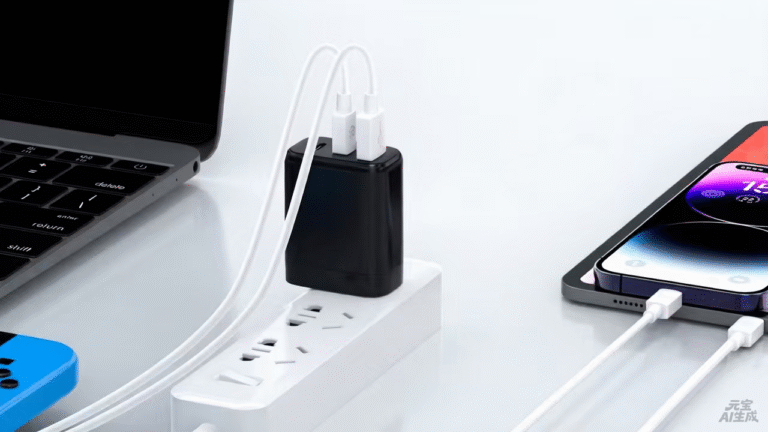
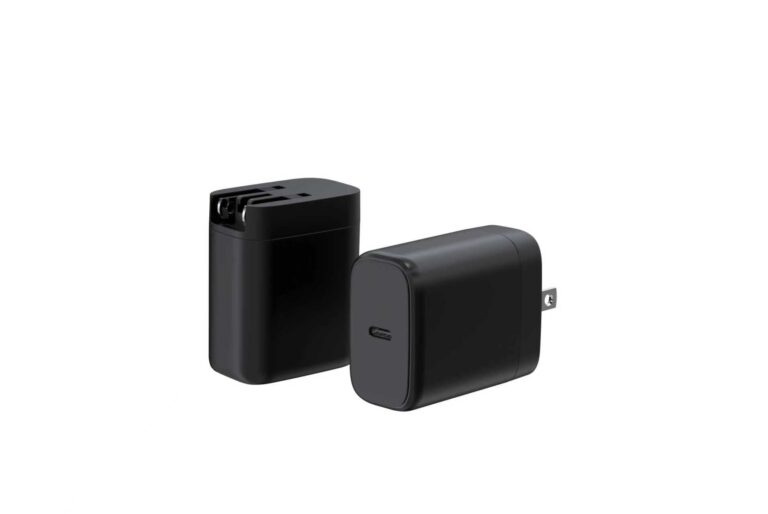
The 100W type-C power adapter earns its place in the multi-device bag, and this ranking is organized by the combinations a bag can hold: laptop plus phone, laptop plus tablet, laptop plus phone and tablet, dual laptops and the full travel kit. Each combination ranks configurations by how the split serves the real pattern — the laptop holding its share while the other devices top up at useful rates. The simultaneous-load list is the input, and the split map is the specification.
Key takeaways
- The multi-device bag is where the 100W tier earns its place: one brick for the laptop and the rest of the load.
- The split map for the real combination matters more than the total wattage.
- The cable and the split map travel with the configuration, and the 5A e-marked cable is part of the 100W story.
Content updated: August 2026 — confirm current profile tables and split maps on the product pages before ordering.
The multi-device bag is where the 100W tier earns its place
The 100W tier's value is the one-brick story: a single adapter that powers the full-size laptop and tops up the rest of the bag. But the story only holds when the configuration serves the real combination — the devices that charge at the same time. The ranking below is ordered by combination, from the common laptop-plus-phone bag to the full travel kit, and every entry is scored on the split behavior for its pattern.
| Bag combination | What the 100W configuration must do | What to verify |
|---|---|---|
| Laptop plus phone | Laptop holds its share, phone tops up | The 2-port split map |
| Laptop plus tablet | Both profiles negotiate from one brick | Profile coverage per port |
| Laptop, phone and tablet | The full stack from one brick | The 3-device split row |
| Dual laptops | Two machines, honest expectations | The dual-laptop split |
| Full travel kit | Laptop plus everything in the bag | The whole pattern, validated |
Laptop-plus-phone combos rank configurations by split stability
The laptop-plus-phone bag is the most common 100W pattern, and the ranking for this combo puts split stability first. The laptop must hold its share while the phone tops up at a useful rate, and the split map for the two-port combination must say so. A configuration whose laptop share stays stable under load outranks one that halves both devices.
| Rank | What to look for in a laptop-plus-phone configuration | Why it ranks there |
|---|---|---|
| 1 | Split map protecting the laptop's share | The work device stays charged |
| 2 | Phone port at a useful charging rate | The top-up is real, not symbolic |
| 3 | 5A e-marked cable for the top profile | The path delivers 100W-class power |
Laptop-plus-tablet combos rank them by profile coverage
The laptop-plus-tablet bag asks the 100W configuration to cover two profiles: the laptop's request and the tablet's request, negotiated from one brick. The ranking for this combo puts profile coverage first — both ports must offer profiles the devices can use — and the split second. A configuration that serves both devices at their useful rates outranks one that covers the laptop and starves the tablet.
| Rank | What to look for in a laptop-plus-tablet configuration | Why it ranks there |
|---|---|---|
| 1 | Profile coverage for both devices | Each negotiates something useful |
| 2 | Split that serves the tablet's request | The second device is not an afterthought |
| 3 | Published behavior for the combination | The row is read before purchase |
The full-stack bag — laptop, phone and tablet — asks the configuration to serve three devices from one brick, and the three-device split row is the specification. The map must show what each device receives when all three charge together, and the priority order must protect the laptop. A configuration that keeps the work device at a working share and tops up the phone and tablet at useful rates outranks one whose third device barely charges. The row is read before purchase and validated with the real devices over a session, because the full stack is where a split map either earns its place or exposes the overbuy.
The same discipline applies when the bag changes. A new tablet, a second phone or a peripheral shifts the simultaneous load, and the configuration is re-read against the new combination rather than carried over unchanged. The split row for the new pattern is the specification, and the session test confirms it. The multi-device bag is a living combination, and the configuration that serves it is reviewed the same way the bag is packed — against the actual contents, not the marketing.
The test record is the evidence that ties the ranking together. Each session logs the devices, the delivered rates and the conditions — the charge level, the workload and the cable used — and the record is kept with the configuration. When the bag changes, the new combination is tested against the same format, and the comparison shows whether the configuration still fits or whether the tier has shifted. The record turns the multi-device ranking from a paper exercise into a measured decision, and the measurement is what the buyer can defend.
The same record also serves the reorder and the upgrade. When the charger is replaced or the bag gains a device, the old record is the baseline: the new configuration is compared against it, and the difference shows whether the change helped or hurt. The record is the program's memory for the multi-device bag, and the ranking is re-read against it every time the bag changes.
The five combinations in this ranking cover the practical range of the multi-device bag. A buyer who finds the row that matches the actual combination — and tests it in a session — has done the verification that separates a working configuration from an overbuy.
The ranking is complete when the combination, the split row and the session record all line up with the devices that actually travel together.
Dual-laptop combos rank them by honest split expectations
The dual-laptop bag is the honest-expectation test: two machines from one 100W brick means each receives a reduced share. The ranking for this combo puts honest split expectations first — the map must say what each laptop gets, and the buyer must read it before assuming full power for both. A configuration that publishes the dual-laptop row outranks one that hides it.
| Rank | What to look for in a dual-laptop configuration | Why it ranks there |
|---|---|---|
| 1 | Published dual-laptop split | The expectation is honest |
| 2 | Each port's profile at the reduced share | Both machines charge, at their shares |
| 3 | A higher-tier recommendation when needed | Two full-size laptops may need more |
The cable and the split map travel with the configuration
Across all five combos, the cable and the split map travel with the configuration. The split map describes what each device gets in each combination; the cable determines whether the power arrives. A 5A e-marked cable is part of the 100W story, and an under-rated cable caps the delivered power. The buyer specifies all three — charger, cable and split — as one configuration.
Matching the bag starts with the simultaneous-load list
The configuration is chosen from the simultaneous-load list: the devices that charge at the same time, written down before any product browsing. The list feeds the split row the buyer reads, and the row is validated with the real devices over a session. The simultaneous-load list is the input; the split map is the specification; and the session is the evidence.
For the 100W configuration side, the WET Series GaN Chargers at WECENT are the interchangeable-plug platform, and the Quality Control page documents the production test flow and records behind the configurations. To confirm the configuration for your bag, submit the device list to WECENT's project engineering team — the review returns the split map, the cable proposal and the document set for the combination.
Frequently Asked Questions
How many devices can a 100W charger serve?
From the simultaneous load: a laptop plus a phone or tablet comfortably, and the full stack at reduced shares. The split map for the real combination is the answer.
What is the best 100W configuration for a laptop and phone?
The 2-port configuration with a split that protects the laptop's share and tops up the phone at a useful rate. The split row for the combination is the spec.
What happens when two laptops share a 100W charger?
Each receives a reduced share according to the split map. The dual-laptop row must be read before assuming full power for both, and two full-size machines may need a higher tier.
What cable does the 100W configuration need?
A 5A e-marked cable for the top profile. The cable is part of the configuration, and an under-rated cable caps the delivered power.
What does the split row tell me before I buy?
The row for your bag's real combination — how much the laptop keeps and what the other devices receive when they charge together. It is the specification behind the port count.
How do I validate the configuration?
Charge the real combination over a session and compare the delivered rates with the split map. The session is the evidence.
This article is part of Desktop & Multi-Port Charging, the guide that covers this topic in decision order.