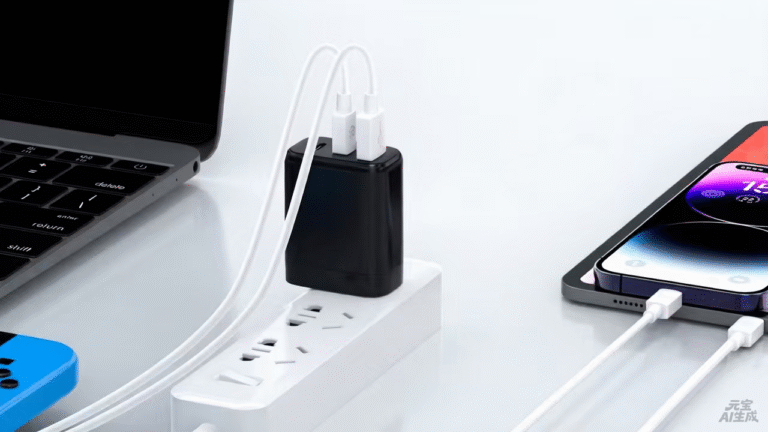
The best 100W type-C power adapter is the one matched to the laptop tier it serves, and this ranking is organized by user tier because the 100W story changes with the machine. Full-size laptop users rank adapters by sustained output, high-spec thin-and-light users rank them by size and profile, and multi-device users rank them by the split and the cable. Each tier gets its own ranking, and every entry is scored on what the user actually needs from the 100W class.
Key takeaways
- The 100W tier serves full-size laptops and the bags that carry them; the original adapter's rating sets the floor.
- The 5A e-marked cable is part of the 100W configuration, not an accessory.
- The tier earns its place when the machine's request or the multi-device pattern justifies it.
Content updated: August 2026 — confirm current profile tables and cable requirements on the product pages before ordering.
The 100W tier serves full-size laptops and the bags that carry them
Full-size laptops that ship with 90–100W adapters sit in the 100W tier, and the tier's value is the one-brick story: one adapter that powers the machine and tops up the rest of the bag. The ranking below is organized by user tier because the emphasis shifts — a laptop-only user needs the clean sustained-output story, a thin-and-light user needs the size and profile match, and a multi-device user needs the split and the cable. The original adapter's rating is the floor for every entry.
| User tier | What the 100W adapter must do | Ranking criteria |
|---|---|---|
| Full-size laptop | Hold rated output under real work | Sustained output, thermal behavior |
| Thin-and-light high-spec | Match the profile in a small brick | Size, profile coverage |
| Multi-device bag | Power the laptop plus the rest | Split behavior, cable rating |
Full-size laptop users rank adapters by sustained output
Full-size laptops draw sustained power under work, and the ranking for this tier puts sustained output first. The adapter must hold its rated output at the machine's real load rather than peak briefly, and the thermal behavior in the real environment is part of the evidence. A 100W adapter that holds the profile through a long session outranks one that reaches the number and throttles.
| Rank | What to look for in a full-size adapter | Why it ranks there |
|---|---|---|
| 1 | Sustained output documented with conditions | The work session is proven |
| 2 | Profile table covering the machine request | The negotiation delivers the profile |
| 3 | 5A e-marked cable in the kit | The path carries 100W-class power |
High-spec thin-and-light users rank them by size and profile
Thin-and-light machines with demanding configurations still ship with modest adapters, and users who want one smaller brick rank the 100W adapter by size and profile. The ranking for this tier puts the profile match first — the adapter must cover the machine's request — and the footprint second. A compact 100W GaN brick that covers the profile outranks a larger one with the same wattage and more bulk.
| Rank | What to look for in a thin-and-light adapter | Why it ranks there |
|---|---|---|
| 1 | Profile covering the machine's request | The smaller machine is served |
| 2 | Compact GaN footprint | The size is the point of the upgrade |
| 3 | A second port for the phone | The one-brick story completes |
The thin-and-light ranking is also the "when 100W is overkill" test: a machine that requests 45W with no other device sharing the charger is served by the 65W tier, and the 100W brick adds cost and size without benefit.
The size story is also the travel story. A 100W GaN adapter replaces the original brick with a noticeably smaller and lighter package, and the saving is felt on every trip — the charger rides in the bag instead of staying at the desk, and the same brick serves the hotel room and the office. For the user who carries a full-size laptop, the 100W tier is not just a wattage upgrade; it is the difference between a drawer of bricks and one adapter that ends the drawer. The GaN material enables the compact form, and the engineering — topology, thermal design, components — delivers it. The buyer compares the same wattage side by side before deciding, because the size gain is real only when the sustained output holds.
The verification note belongs at the end of the tier decision. The first document is the profile list and the split map, and the first hardware check is the real-machine combination — the tier says what it should cover, and the profiles and the test say what it delivers. The same verification is repeated when the machine changes or the charger is replaced, because the file shows what was configured and why, and the next decision starts from evidence rather than memory.
The buying checklist closes the ranking. Before the order, the buyer confirms the machine's request from the original adapter, reads the profile table against it and checks the cable rating; at receipt, the certificate and the split map are compared with the configuration; and after the first session, the delivered behavior is recorded against the profile. The checklist is short because the tier decision is a match, and the match is verified the same way every time — the request read, the profile checked and the session recorded.
The 100W tier also carries a future-proofing input. A machine that will be replaced by a higher-power model may justify the headroom now; one that will not does not. The roadmap is part of the tier decision, and the same three checks are re-run at the refresh rather than assumed to still hold.
Multi-device users rank them by the split and the cable
Multi-device users carry the full bag — laptop, phone, tablet — and the ranking for this tier puts the split first. The adapter must keep the laptop at its share while the other devices top up, and the split map must describe the combination. The cable ranks second, because the 5A e-marked cable is part of the 100W configuration and an under-rated cable caps the delivered power.
| Rank | What to look for in a multi-device adapter | Why it ranks there |
|---|---|---|
| 1 | Split map for the bag combination | The laptop holds its share |
| 2 | 5A e-marked cable rated for the profile | The path delivers 100W-class power |
| 3 | Published behavior with the real devices | The combination is validated, not assumed |
The 5A e-marked cable is part of the 100W configuration
Across all three tiers, the cable is part of the configuration. 100W-class profiles typically need a 5A e-marked cable, and an under-rated cable caps the delivered power regardless of the charger's rating. The buyer specifies the cable with the adapter, not after it, and the kit includes it — because the 100W story is a system story: charger, cable and device are one configuration.
Verifying the 100W match starts with the original adapter
The verification is three checks: confirm the machine's request from the original adapter and the official specification, read the adapter's profile table and confirm it covers that request, and test the real combination with the cable that will actually be used. The three checks apply at every tier, and they are worth repeating when the machine changes. The tier map is a living document, and the verification is what keeps it honest.
For the 100W tier that fits your machine, the WET Series GaN Chargers at WECENT are the interchangeable-plug platform, and the Quality Control page documents the production test flow and records behind the configurations. To confirm the 100W configuration for your devices, submit the device list to WECENT's project engineering team — the review returns the profile, split and cable proposal for the configuration.
Frequently Asked Questions
Which laptops need a 100W charger?
Full-size laptops that shipped with 90–100W adapters. Read the original adapter's rating and match or exceed it; thin-and-light machines are served by lower tiers.
What cable completes a 100W configuration?
The 5A e-marked cable is part of the configuration, not an accessory. An under-rated cable caps the delivered power regardless of the charger's rating.
Is a 100W GaN charger worth the upgrade?
For a full-size laptop user, yes — the size and weight saving is felt on every trip, and the same charger serves the phone and tablet. Compare the same wattage side by side before deciding.
Can a 100W charger charge two laptops?
It can charge two, with each receiving a reduced share according to the split map. For two full-size laptops at full power, a higher tier or two chargers is the honest answer.
When is 100W overkill?
When the machine requests less and no other device needs the headroom. A thin-and-light laptop plus a phone is served by the 65W tier; the 100W tier adds cost and size without benefit.
How do I verify a 100W adapter?
Confirm the machine's request, read the profile table and test the real combination with the rated cable. The three checks are the verification.
This article is part of Laptop Charger OEM & Fleet Programs, the guide that covers this topic in decision order.