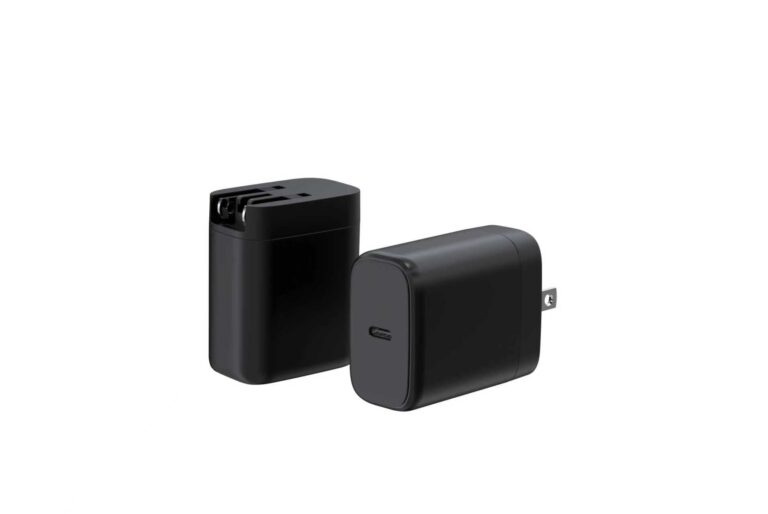
USB Power Delivery 3.0 tops out at 100W. USB PD 3.1 raises that ceiling to 240W by adding a higher-voltage mode called EPR (Extended Power Range). For most buyers the practical question is simpler: what changed, and does your next charger need it? Here is the answer in plain terms, with the numbers and the caveats.
USB Power Delivery in One Paragraph
USB PD is a fast-charging protocol that runs over USB-C. Instead of a fixed 5V, the charger and device negotiate a higher voltage and current — 9V/3A (27W), 15V/3A (45W), 20V/5A (100W) and so on — so one port can power earbuds one minute and a laptop the next. The negotiation happens in milliseconds every time you plug in.
PD 3.0 vs PD 3.1: What Changed (Including EPR 28V–48V)
The headline change is the Extended Power Range. PD 3.0 stops at 100W on 20V; PD 3.1 adds fixed voltages of 28V, 36V and 48V at 5A (up to 240W), plus an adjustable voltage supply (AVS) mode. The table below is the version to keep in a spec sheet.
| Spec | USB PD 3.0 | USB PD 3.1 (EPR) |
|---|---|---|
| Maximum power | 100W | 240W |
| Maximum voltage | 20V | 48V (EPR) |
| Typical use | Phones, tablets, laptops | Gaming laptops, workstations, monitors, tools |
| Cable requirement | Standard USB-C with PD | e-marked EPR-rated cable for >20V |
| Backward compatible | Yes (PD 2.0) | Yes (PD 3.0 and 2.0) |
The point most buyers miss: a PD 3.1 charger still charges every PD 3.0 device normally. The high-voltage range only activates when both ends support it, so a 140W PD3.1 charger plugged into a phone simply negotiates a 5–20V profile.
PDOs and PPS: How a PD Charger Negotiates Power
Understanding the negotiation explains why two “65W” chargers can behave differently. The charger advertises PDOs (Power Data Objects) — the fixed voltage/current combinations it can deliver — and the device picks one. PD 3.0 added PPS (Programmable Power Supply), which lets the device request a precise voltage in small steps, commonly 3.3–21V in 20mV increments, so the battery is charged on an ideal curve instead of a fixed profile.
PPS is the reason Samsung 45W and newer fast-charging phones charge the way they do: the phone steers the voltage in real time. Our article on how a PPS charger works covers the mechanism step by step.
Why Wattage Isn’t Everything: Voltage × Current
Watts equal volts times amps, but the two halves behave differently. Higher voltage matters for long cables and high power — less current means less cable loss. Higher current matters for cable thickness and connector design. A 100W charger running at 20V/5A is not the same product as a hypothetical 100W at 10V/10A, which would need a much heavier cable. When comparing chargers, read the voltage table, not just the headline wattage — especially on multi-port units where total power is shared.
What “PD3.1” Labels Really Mean (and How to Check)
A “PD3.1” print on the box is a claim, not a certification. Three checks will tell you whether the claim is real:
- Ask for the PDO table. A genuine 140W PD3.1 charger lists 28V/5A among its profiles. If the vendor cannot produce one, treat the label as marketing.
- Check the cable. EPR needs an e-marked, EPR-rated cable; without the e-marker chip in the connector, 140W/240W modes never engage.
- Read the per-port ratings. A 140W unit may deliver 100W + 40W across two ports. Confirm per-port output, not just the total.
For independent verification, ChargerLAB and Tom’s Hardware publish protocol and load tests, while the official USB-IF specifications and the Wikipedia overview of USB Power Delivery define the standard.
PD for OEM Projects: Certification and Compatibility
If you are sourcing chargers under your own brand, three decisions drive the project: wattage tier, whether to future-proof with PD 3.1, and how certification is handled per model. The wattage tier decides the hardware platform — 20–35W for phones and small tablets, 65W for most laptops, 100W+ for workstations and multi-device charging. PD 3.1 matters when your lineup targets high-power laptops and monitors, not today’s phones. And certification (CE, FCC, RoHS and regional marks) attaches to the finished model, never to a protocol label.
We build PD3.0 and PD3.1 platforms from 35W GaN PD chargers and 100W GaN chargers up to 140W 2A3C and 240W GaN units, with MOQ from 200 pcs and published PDO tables. Project flow is on the OEM/ODM customization page.
What Is EPR and Do You Need 240W Charging?
EPR (Extended Power Range) is the part of USB PD 3.1 that unlocks charging above 100W. Whether you need it comes down to one question: what does your device actually draw?
- Phones and tablets — no EPR needed; they use low-voltage PD profiles.
- Standard laptops — 65–100W covers almost everything.
- Gaming laptops and workstations — 140W+ and sometimes up to 240W, where EPR matters.
- Monitors and docks — a growing group of devices that draw 100W+ over a single USB-C cable.
If your heaviest device fits under 100W, a PD3.0 charger is enough; if it does not, EPR is the feature that future-proofs the purchase.
Devices That Use USB PD 3.1 Today
PD 3.1 adoption is still early, and knowing which devices actually use it stops you from paying for a feature you cannot use yet.
- High-power laptops — flagship gaming and creator laptops accept 140W+ over USB-C.
- Large monitors — 4K and ultra-wide displays increasingly accept USB-C power input above 100W.
- Docks and hubs — premium USB-C docks deliver 100W+ to the laptop while charging accessories.
Phones, tablets and mainstream ultrabooks still negotiate PD3.0 profiles — which is exactly why a PD3.1 charger stays backward compatible.
PD3.1 Chargers in 2026: What’s Worth Buying
If you are shopping in the 100W+ tier, the checklist is shorter than the marketing suggests.
- Confirm the PDO table — a genuine 140W PD3.1 charger lists 28V/5A among its profiles.
- Check the cable — EPR needs an e-marked, EPR-rated cable to reach full power.
- Read the per-port map — on multi-port units, total wattage is shared; verify per-port ratings.
- Verify certificates — CE, FCC, RoHS and regional marks are model-specific.
Buy the wattage tier your devices actually draw, and treat “PD3.1” as a claim to verify rather than a feature to assume.
FAQ
Is USB PD 3.1 backward compatible? Yes. A PD3.1 charger works with PD 3.0 and PD 2.0 devices and simply negotiates a compatible profile.
Do I need a PD3.1 charger for a phone? No. Phones use low-voltage profiles; PD 3.0 is enough. PD3.1 matters for high-power laptops and monitors.
What cable do I need for 140W or 240W charging? An e-marked, EPR-rated USB-C cable. Without it, charging falls back to lower power.
What is PPS? Programmable Power Supply — a mode where the device requests a precise voltage in fine steps, used by Samsung and other fast-charging phones.
Why does my 100W charger only give 65W to one port? Because total wattage is shared across ports. Check the per-port output table before buying.
References: USB-IF, Wikipedia USB Power Delivery, ChargerLAB, Tom’s Hardware.
Further reading: AnandTech, EE Times.
This article is part of USB-C PD and PPS, the guide that covers this topic in decision order.