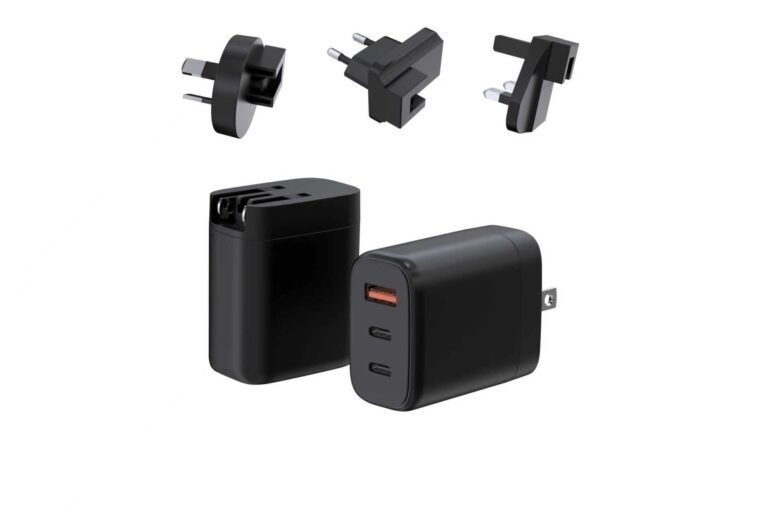
A medical cart is a workstation on wheels, and its power problem is a schedule problem. The cart carries a laptop, a screen, sometimes a phone and a battery pack, it moves between rooms and shifts, and its charging window is whatever time is left when the staff are not using it. The charging architecture — direct power, a battery, or a hybrid — decides whether the cart is always ready or always at the charger. This guide walks through the device list inside a cart, the three power architectures, how to size power for the whole cart, the safety and thermal considerations, and what to specify when sourcing cart chargers.
The Charging Problem Inside a Medical Cart
The charging problem starts with the inventory: what is on the cart, and how long does each item run between charges?
| Device | Typical power need | Charging pattern |
|---|---|---|
| Laptop | 45–100W depending on model | Charges at desks and between shifts |
| Screen / monitor | 20–60W | Runs while the cart is in use |
| Phone / tablet | 15–30W | Charges opportunistically |
| Battery pack | Varies | Charges whenever the cart is parked |
| Accessories | 5–15W | Small, continuous draw |
The schedule is the constraint: a cart used across shifts may have a two-hour charging window overnight or between uses, and the architecture must fill the battery and the devices within that window. The power decision is therefore a time budget — how much energy the cart consumes per shift, and how fast the charging input can replace it.
Three Power Architectures Compared
Medical carts use three power approaches, and each fits a different workflow:
| Architecture | How it works | Strength | Tradeoff |
|---|---|---|---|
| Direct power | Cart plugs into a wall outlet while in use or parked | Simple, no battery aging, lower cost | Tethered to a wall; limits mobility |
| Battery-powered | Cart runs on an internal battery, charged when parked | Full mobility across shifts | Battery cost, weight and aging |
| Hybrid | Battery plus a charging input; devices charge from the cart | Best of both: mobility plus a power hub | Most complex; needs power management |
Direct power is the right answer for carts that stay near a charging station — many emergency and procedure carts. Battery power suits carts that roam for a full shift with no reliable outlet. Hybrid is the modern default for mobile workstations: the battery keeps the cart alive while moving, and the charging input tops up the battery and the devices whenever the cart docks.
The architecture choice also drives the failure mode. A direct-power cart fails when the outlet or the cord fails — simple to diagnose, simple to fix. A battery cart fails when the battery ages or the charging input under-sizes, which is slower to diagnose and more expensive. A hybrid cart inherits both risks, so its power management — which device gets power first, how the battery charges while the laptop draws — becomes the design discipline that keeps the cart dependable. Buyers should ask how the charging priority works, not just how many watts the input delivers.
Expert view — WECENT project engineering team: The architecture decision comes down to the shift length and the outlet availability. If a cart can return to a dock every couple of hours, direct or hybrid power wins on cost and simplicity. If it must roam a full 12-hour shift, the battery becomes the product — and the charging input is the part you should not under-size.
Sizing Power for Laptop, Screen and Phone Together
Once the architecture is chosen, the power budget is arithmetic: add the devices, add headroom, and match the charging input.
- Sum the simultaneous load. A laptop at 65W plus a screen at 30W plus a phone at 20W is a 115W worst case; that is the number to plan around, not the average.
- Add the battery. If the cart has an internal battery, the charger must power the devices and charge the battery at the same time; the input rating must cover both.
- Choose the ports. A multi-port GaN charger with the right split — for example, a 100W USB-C port for the laptop plus additional ports for the screen and phone — turns the cart into its own charging hub.
- Add headroom. Electronic loads are not perfectly efficient; plan 20–30% above the calculated worst case.
The practical result is that many carts land on a 100–140W-class charging solution, with the exact split depending on the laptop and screen. The power range is a starting point, not a specification; confirm the numbers against the actual devices on the cart.
The charging window sets the final constraint. A cart with a two-hour dock window and a 100W average draw needs an input that replaces the draw plus the battery charge within that window; a cart with an overnight window can use a smaller input. Calculating the window — energy per shift divided by charging time, plus the battery’s depth of discharge — is the arithmetic that turns a power budget into a charging specification, and it is the number the supplier needs to quote the right configuration.
Mounting and cable routing are part of the same specification, even though they are easy to forget. The charger has to live on the cart — under the worksurface, on the pole, or in a dedicated dock — and the cable has to reach the devices without being a trip hazard or a pinch point. A charger chosen for its wattage but not its footprint can fail the cart integration at the last minute, so the mechanical constraints belong in the sourcing document next to the electrical ones.
Safety and Thermal Considerations
Medical environments raise the safety bar even when the devices are standard commercial hardware:
- Continuous operation. Cart chargers run for hours, so sustained-load behavior matters more than peak wattage. The charger must reach a thermal plateau, not climb until it throttles.
- Protections. Overcurrent, overvoltage, overtemperature and short-circuit protection are baseline; confirm they are documented per configuration.
- Documentation. Certificates and test reports must name the exact model and configuration, and batch traceability should be available for the cart program.
- Standard applicability. Whether a cart charger needs medical electrical safety standards depends on the device classification and environment; that decision belongs to the program’s QA or regulatory team and should be confirmed before ordering, not discovered at an audit.
For the charger side, sustained-load and aging testing in production is the evidence to look for — the same factory process that protects any continuous-use deployment. WECENT describes 100% functional testing and aging under load in its quality process, which is the kind of documentation a cart program should request.
What to Specify When Sourcing Cart Chargers
The specification is a hand-off document: it carries the cart’s electrical, mechanical and clinical constraints from the program team to the supplier, and it is the reference every later decision is checked against.
- The device list, the simultaneous load and the shift schedule.
- The architecture decision: direct, battery or hybrid.
- The total power budget with headroom, and the required port split.
- The mounting and cable-routing constraints of the cart.
- The certifications and test reports for each target market.
- The batch traceability and warranty terms for the program.
- A sample program that validates real devices on the actual cart.
For a cart program, start from the WEG series charger pages — the high-power multi-port platform is designed for laptop-plus-device stacks — and send your device list and schedule to the WECENT OEM team for a power-budget and configuration review.
Frequently Asked Questions
How much power does a medical cart need?
It depends on the devices and the battery. A laptop, screen and phone stack typically lands in the 100–140W class; add the battery draw and headroom, and confirm the numbers against the actual cart devices.
Direct power or battery for a medical cart?
Direct power suits carts that return to a dock regularly; battery suits carts that roam full shifts. Hybrid — battery plus a charging input — is the modern default for mobile workstations.
Can a cart charge its laptop, screen and phone at once?
Yes, if the charger’s ports and split map cover the simultaneous load. Size the input for the worst case, not the average, and verify the split with the real devices.
Do cart chargers need medical certifications?
Not automatically. Whether medical electrical safety standards apply depends on the device classification and environment. The program’s QA or regulatory team decides the framework, and the supplier confirms which certificates exist for the exact configuration.
What testing should a cart charger supplier show?
Sustained-load and aging tests, electrical functional testing, insulation testing and batch traceability. The documents should name the exact model and configuration.
Can WECENT build a charging solution for a cart program?
WECENT is an OEM/ODM partner with high-power multi-port GaN platforms suitable for cart workstations. Share the device list, schedule and architecture with the project team for a configuration review.
Sources
- WECENT – WEG Series GaN Chargers
- WECENT – GaN Charger Category
- WECENT – Quality Control
- WECENT – Contact Us
- International Electrotechnical Commission – Official Website
- U.S. Consumer Product Safety Commission – Official Website
This article is part of Healthcare Device Charging, the guide that covers this topic in decision order.