
Your PC needs a power supply sized to its peak draw plus a safety margin — most desktop builds sit between 400W and 750W, and gaming rigs often land at 750W or more. This guide explains how to calculate that number yourself, what the wattage actually covers, and what it means when you source a charger or PSU from a factory.
How Many Watts Does a Typical PC Use?
Real-world PC power draw is far below the sum of the components’ rated watts, because most parts run at partial load. As a planning figure, an office desktop draws 150–300W under load, a mid-range gaming PC 400–600W, and a high-end rig with a flagship GPU can pull 700W or more. The power supply wattage you buy should sit above the worst-case transient, not just the average.
How to Calculate Your PC’s Power Requirements (Step by Step)
You do not need to guess — the calculation is a simple addition with a safety factor. Add the peak draw of the CPU, GPU, motherboard, drives and fans, then multiply by about 1.3 to leave headroom, and round up to the nearest available PSU tier.
- CPU: check the rated TDP and add 20–40W of transient headroom for boost behaviour.
- GPU: use the board power from the manufacturer’s spec (this is usually the single largest number).
- Everything else: motherboard, RAM, drives and fans typically add 50–80W total.
- Headroom: multiply the total by 1.2–1.3 so the PSU never runs at its rated limit for long.
Key Components That Drive Wattage: CPU, GPU, Drives & Peripherals
Two components dominate the total: the GPU on a gaming machine and the CPU on a workstation. Drives and fans matter less than people expect — an SSD adds roughly 5–10W and a fan 1–3W — while peripherals powered from the PC’s own ports (headsets, RGB controllers, external drives) can quietly add another 20–40W on top.
PSU Efficiency (80 PLUS) and Why It Changes Your Number
A PSU’s wattage rating is its output capacity, and its efficiency decides how much heat it wastes while delivering it. An 80 PLUS Gold unit converts roughly 90% of input power to output at typical loads, so a 650W unit rated Gold needs less wall power than an unrated unit at the same output. Efficiency does not change the wattage you need, but it changes the running cost and the noise.
Headroom Rules: The 20–30% Buffer Explained
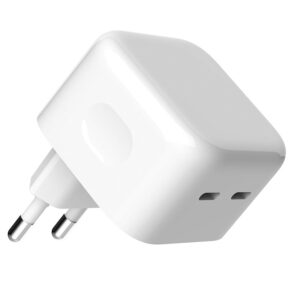
The buffer exists because components spike above their average, capacitors age, and a PSU is most efficient and quiet between 40% and 80% load. Buying one tier above your calculated number is cheap insurance: a build that calculates to 550W is better served by a 650W unit than by exactly 550W. The same logic applies to laptop and desktop chargers — see how we tier chargers by wattage in our 65W GaN charger deep-dive.
How Many Watts Does a PC Use Per Hour? (Electricity Cost)
The wattage figure on a PSU is a capacity, not a consumption. What actually shows up on your electricity bill is the average power draw times the hours of use — and that number is usually far lower than the PSU rating. Here is how to estimate it for your own build.
Work in kilowatt-hours: multiply the typical draw in watts by the hours per day, divide by 1,000, and multiply by your electricity rate. A gaming PC averaging 400W for 4 hours a day uses 1.6 kWh per day, which is roughly 48 kWh per month — at a typical rate, a few dollars. An office PC averaging 120W all day uses about 0.9 kWh daily. The practical takeaway: an oversized PSU does not waste electricity, because the system only draws what it needs; efficiency class and idle draw matter more than capacity.
How to Measure Your PC’s Real Power Draw
Spec sheets and calculators give estimates; a measurement gives the truth. If you want the real number, two methods cover almost everyone, and both are cheap.
- Wall power meter — plug the PC into a watt meter and read the live draw under idle, load and gaming. This measures the whole system including the PSU’s own losses.
- Software monitoring — tools like HWiNFO report component-level power sensors for CPU and GPU, which lets you see which part spikes during a workload.
Measure for 10–15 minutes under your heaviest workload, note the peak, and size the PSU against that peak plus the 20–30% buffer — not against the sum of the box stickers. This is the same evidence-based approach we use when we validate charger loads in the factory.
PC Power Supply Sizing Mistakes to Avoid
Most PSU problems are not hardware failures — they are sizing mistakes made at purchase time. These are the five we see most often, so you can skip them.
- Trusting sticker TDPs only — real CPU and GPU draw includes boost and transient spikes well above the sticker.
- Buying exactly what the calculator says — no room for capacitor ageing or the next GPU upgrade.
- Ignoring the efficiency curve — a PSU is happiest between 40% and 80% load, not at 100%.
- Forgetting peripherals — USB hubs, RGB controllers and external drives quietly add 20–40W.
- Judging a PSU by wattage alone — brand, component quality and warranty matter more than the number on the box.
How a GaN USB-C Charger Fits Into a Desktop Setup
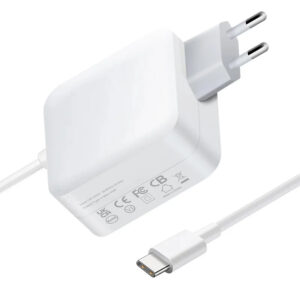
For a desktop that only needs to power a laptop, a monitor or a USB hub, a compact USB-C charger often replaces a second PSU entirely. A 100W GaN brick can drive a thin-and-light laptop plus peripherals from one port, and it doubles as a travel charger. Our 100W GaN charger with EU/US/AUS plugs is the platform most of our desktop-adjacent OEM buyers start from, and the negotiation protocol is explained in our article on what a PD 3.0 charger is and why it matters.
FAQ
Is a 650W power supply enough for gaming? For most single-GPU gaming builds, yes — calculate your CPU plus GPU board power first and add the 20–30% buffer.
What happens if my PSU is too small? The system becomes unstable under load — random reboots, shutdowns or crashes — and the PSU runs hot.
Do I need 80 PLUS Gold? Not strictly, but Gold or better pays for itself in efficiency and quieter operation on a machine that runs long hours.
Can I power a laptop from a desktop PSU? Not directly — use a USB-C PD charger rated for the laptop’s input instead.
Where can I source a charger under my own brand? MOQ starts at 200 pcs with logo and packaging customization — see the OEM/ODM customization page and quality control for the process, and start an inquiry on the contact page.
For a visual reference of a typical wattage ladder, Wikipedia’s ATX article covers PSU form factors, Energy Star publishes efficiency guidance for computers, and Tom’s Hardware runs real-world CPU/GPU power tests you can cite instead of guessing.
Further reading: AnandTech, HowStuffWorks, PCWorld.
This article is part of Laptop Chargers, the guide that covers this topic in decision order.