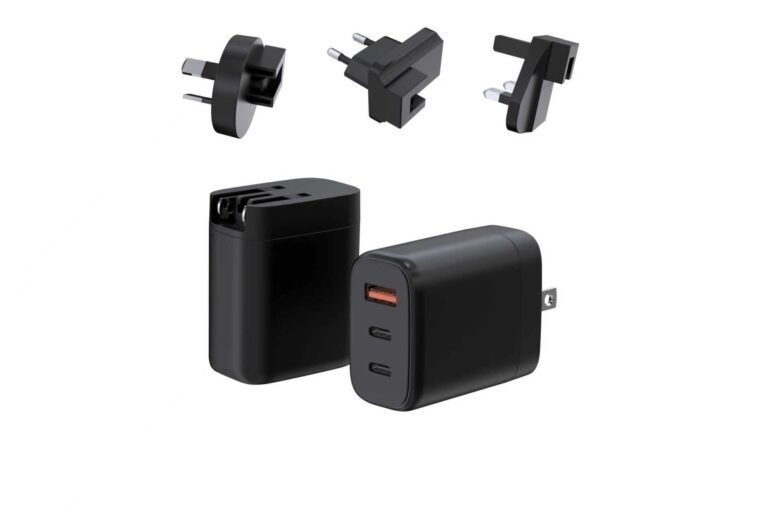
The charger for a portable power station is chosen against the station's input specification: the input options it accepts, the adapter power that matches, and the charging method that fits the pattern. The wrong adapter either charges slowly or not at all, and the right one turns the station into a dependable power source. This guide covers the input options on modern stations, matching adapter power to input limits, AC versus DC versus USB-C PD charging, buying a spare or replacement adapter, and a maintenance rule for station adapters.
Key takeaways
- The station's input specification decides the adapter, not the other way around.
- Match the adapter's profiles to the station's input limits.
- The spare adapter is part of the station kit, chosen against the same spec.
Content updated: August 2026 — station input details are confirmed per model; check the specific station before ordering.
Scope note: This guide is general industry information; station and adapter details are confirmed against the specific product pages.
Input Options on Modern Power Stations
Modern power stations accept several input paths: an AC input for the wall charger, a DC input for car or solar, and increasingly a USB-C PD input for standard adapters. Each input has its own limit, and the station's specification names them.
The input table is the starting document. It lists the accepted voltage and current for each path, and the adapter is matched against the row. A station that accepts USB-C PD input can use a standard laptop-class adapter; one without it needs its own charger.
The input options also shape the travel story. A station with USB-C PD input can top up from the same charger as the laptop, simplifying the kit; one without it carries a proprietary charger. The input set is a buying feature.
The input options also affect the charging time. Each path has its own power ceiling, and the station's charge time follows the path used. The input table shows the limits, and the buyer plans the charging pattern against them.
The input set is also a compatibility input. A station that accepts a common input standard is easier to keep charged on the road than one tied to a proprietary charger. The input options are part of the station's usability.
Matching Adapter Power to Input Limits
The adapter is matched to the input limit, not to the station's output. A station that accepts 100W input charges at 100W from a 100W or larger adapter; a 140W EPR adapter into a 100W input negotiates at what the station accepts, and the cable still needs to be rated for the top profile.
The matching steps:
- Read the station's input table. The accepted voltage and current per path.
- Check the adapter's profiles. The PDOs it offers.
- Confirm the cable. Rated for the negotiated power.
- Verify with a real charge. The time and the delivered input.
The matching is per configuration, and the result is recorded. A station that charges at its rated input with the chosen adapter has a working match.
The matching also includes the charge-time expectation. A station that accepts 100W input charges faster from a 100W adapter than from a 65W one, and the buyer plans the expectation against the input limit. The time is the evidence of the match.
The matching is re-checked when the station or the adapter changes. A new station input table or a new adapter profile shifts the match, and the check is run again. The match is a living configuration.
AC vs DC vs USB-C PD Charging
| Method | How it works | Best when |
|---|---|---|
| AC | The station's wall charger | Fastest full charge |
| DC | Car or solar input | Mobile and off-grid |
| USB-C PD | A standard adapter | Top-up with the laptop charger |
The method follows the pattern. AC is the full-charge path; DC covers the mobile case; USB-C PD is the top-up path that shares the laptop charger. The station is charged through the path that fits the moment.
The methods are not competitors. A station owner uses AC at home, USB-C PD on the road and DC when off-grid. The input set is the flexibility story.
The method choice also affects the cable and the accessories. AC charging uses the station's own cable; USB-C PD uses a rated USB-C cable; DC uses the car or solar input. The kit is specified per method.
The method is also a planning input for the trip. A trip with outlets available favors AC; one without favors DC or a pre-charged station. The charging pattern is planned against the itinerary.
Buying a Spare or Replacement Adapter
The spare or replacement is chosen against the same input spec. The adapter's profiles must cover the station's input request, the cable must be rated, and the configuration must match.
The spare is part of the kit. A station with a rated spare stays usable when the primary adapter fails or is forgotten, and the spare is tested with the same real charge. The kit is the practical unit.
The replacement is also a documentation question where the station is part of a regulated context. The adapter's certificate and the station's input are reviewed together, and the configuration is recorded.
The spare is also a consistency question. A spare from a different supplier with different profiles can charge the station differently, so the spare is matched against the same input spec as the primary. The kit is one configuration.
The spare and the replacement are bought with the input table in hand. The table is the specification, and the adapter is chosen against it the same way every time.
A Maintenance Rule for Station Adapters
The maintenance rule is simple: the adapter is checked with the station, on the same schedule:
- Inspect the cable and connector for wear.
- Confirm the delivered input with a real charge.
- Keep the station's input table with the kit.
- Replace worn cables and adapters before they fail.
The rule keeps the station dependable, because a station is only as ready as its charging path.
The maintenance rule also includes the documentation. The input table, the adapter profiles and the test records are kept with the kit, so the match is verifiable when it matters. The file is the kit's memory.
The station charger decision closes with the same discipline as the rest of the cluster: the input table is read, the adapter is matched, the charge is verified and the kit is maintained. The station is a power source, and its charger is the path to that power — a path that is specified, tested and kept, not assumed.
For the station owner starting out, the practical first step is the input table written down: the accepted voltage and current per path, and the adapter profiles that match. The table is the specification for the primary, the spare and the replacement, and a kit chosen from the table is a kit that can be defended. The station is only as ready as its charging path, and the path is only as good as the table it was chosen against.
The same input-table discipline applies whether the station powers a campsite, a workshop or an emergency kit: the adapter is a match when the profiles, the cable and the delivered input line up, and the match is re-verified when either side changes. The table turns the station charger from a guess into a configuration, and the configuration is what keeps the station a dependable power source across every trip.
A verification note for buyers: The first document is the station's input table, and the first hardware check is a real charge at the rated input. The adapter is a match when the profiles, the cable and the delivered input all line up.
Matching an adapter to a station input starts with the GaN Charger Category at WECENT, which sorts platforms by power and ports, and the Quality Control page describes the production test flow and records. To confirm the adapter for your station, submit the station's input table to WECENT's project engineering team — the review returns the profiles, cable and configuration proposal for the match.
Frequently Asked Questions
Which adapter should I use for my power station?
The one that matches the station's input table: the accepted voltage and current per path, with the profiles and cable confirmed. The station's specification, not the adapter's box, is the authority.
Can I use a laptop charger to charge a power station?
If the station accepts USB-C PD input and the laptop charger's profiles cover the request, yes. The station charges at what it accepts, and the cable must be rated for the power.
Is AC or USB-C PD charging faster?
Usually AC, because the station's AC input typically accepts more power than its PD input. The input table shows the limits, and the method follows the pattern.
Do I need a special cable for the station charger?
The cable must be rated for the negotiated power, with an e-marker where required. An under-rated cable caps delivered power regardless of the adapter.
How do I maintain the station adapter?
Inspect the cable and connector, confirm the delivered input with a real charge and keep the input table with the kit. The adapter is checked with the station, on the same schedule.
This article is part of Power Banks & Power Stations, the guide that covers this topic in decision order.