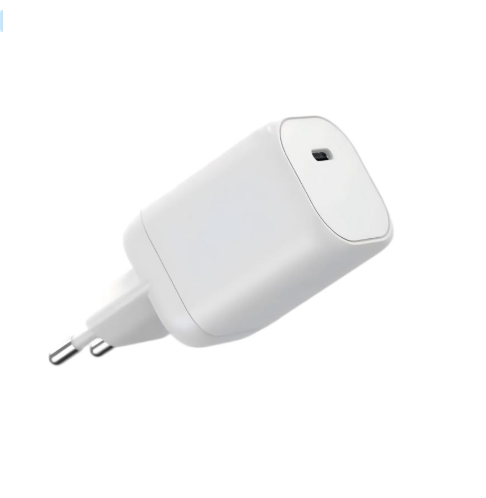
A gaming PC’s power supply is sized by two numbers: the CPU’s boost draw and the GPU’s board power, plus a 20–30% transient buffer. In practice that means 650W for most single-GPU builds, 750W for high-end cards, and 850W+ for dual-GPU or heavily overclocked rigs. Here is how to calculate it precisely and where the common mistakes hide.
Why Gaming PCs Need More Watts Than Office PCs
Gaming workloads push the CPU and GPU to their rated limits simultaneously, and modern GPUs draw short power spikes well above their average. Office machines rarely exceed 300W because they never load both chips at once; a gaming rig can request double that in a fraction of a second, which is exactly why the buffer matters.
CPU and GPU Peak Power: Where the Real Draw Comes From
Use the manufacturer’s board power figure for the GPU and the rated TDP for the CPU, then add boost headroom. As a rule of thumb, the GPU contributes 60–70% of a gaming system’s total draw, the CPU 15–25%, and the rest is platform power. If the GPU is listed at 320W and the CPU at 120W, the system total before the buffer is roughly 520–560W — a 650W unit is the sensible tier.
How to Use a Gaming PSU Calculator (Example Build)
Take a concrete example: a 250W GPU, a 105W CPU, 32GB RAM, two NVMe drives and five fans. The GPU and CPU total 355W; platform power adds about 70W for 425W; with a 1.3 buffer that is roughly 550W — so a 650W Gold unit is the right pick, not the 550W it calculates to. The extra tier covers transient spikes and keeps the fan quiet.
Transient Spikes and Why a 750W PSU Can Still Trip
High-end GPUs can spike to nearly double their board power for milliseconds, which is why some 650W systems crash even though the maths says they should fit. If you plan a flagship GPU, buy the next tier up and check the PSU’s transient response — this is the number that prevents mysterious shutdowns during game load screens.
PSU Form Factors, Cables and Upgrade Headroom
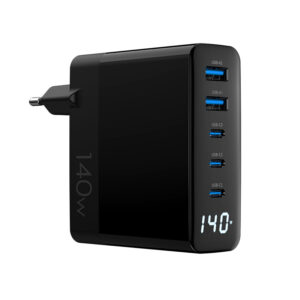
ATX remains the standard for full towers; SFX covers compact builds. Buy the form factor your case supports, keep the cables you need for the GPU (two 8-pin or a 12VHPWR connector), and leave one tier of headroom for the next GPU upgrade. The same thinking applies to a gaming laptop’s external power — a 140W 2A3C GaN charger gives a high-power laptop one brick for both the laptop and accessories, with the protocol details in our PD 3.0 guide.
How Many Watts for a Gaming Laptop?
Gaming laptops bring the same CPU + GPU equation into a portable chassis, with one difference: the power comes from a single external adapter instead of an internal PSU. Here is how to read the numbers.
Check the laptop’s USB-C PD input rating or its dedicated barrel-adapter wattage — most gaming laptops ship with 180W–330W barrel adapters, while newer thin models accept 100W–140W over USB-C. If you use a USB-C charger, match the laptop’s input limit: a 140W-capable machine needs a 140W GaN brick like the 140W 2A3C GaN charger to run at full speed, and an undersized charger will force the GPU to downclock.
PSU Calculator for Streaming PCs: CPU + GPU + Capture
A streaming or content PC adds a capture card, a second monitor and often extra USB devices — which changes the power calculation by more than people expect. Add the capture card’s power draw (usually 10–25W), the extra monitor’s consumption if powered from the PC’s own ports, and the continuous encode load that keeps the GPU busy while the CPU works.
The practical result: a streaming rig often needs one full tier above the equivalent gaming-only build. If the gaming calculation lands at 550W, a streaming build with a capture card and extra peripherals is better served by a 650W unit. Budget the headroom in the calculator instead of discovering it in the first stream.
Gaming PSU Buying Checklist: 80 PLUS, Cables, Warranty
Wattage is only the first filter. Use this checklist before you buy or spec a gaming PSU, so the unit survives years of transient spikes:
- 80 PLUS rating — Gold or better for long gaming sessions; the efficiency curve matters more than the peak.
- Transient response — a unit with good ripple and transient performance avoids shutdowns during GPU spikes.
- Cable set — confirm it includes the connectors your GPU needs (8-pin or 12VHPWR).
- Warranty — 5–10 years is the norm for quality units; the warranty is a proxy for the components inside.
- Form factor — ATX for towers, SFX for compact cases.
FAQ
Is 750W enough for a high-end GPU? For most flagship single-GPU builds, yes — but confirm the GPU’s transient spike rating before finalising.
Can a 650W PSU run a 4090-class card? It is borderline; the card’s board power plus CPU can exceed the unit’s transient capability. Go 850W to be safe.
Does a higher-wattage PSU waste more power? No — a PSU draws what the system needs, and a larger unit often runs in a more efficient load range.
How do I size a charger for a gaming laptop? Match the laptop’s USB-C PD input rating, usually 100W or 140W for high-power machines.
Can I OEM a high-wattage charger for my laptop brand? Yes — from 100W to 240W with MOQ from 200 pcs. See the OEM/ODM page, our GaN charger product line, and contact us on the contact page.
For measured GPU power, Tom’s Hardware and Gamers Nexus publish load and transient data, Wikipedia’s CPU power dissipation article explains the TDP concept, and Intel and AMD’s official spec pages list board power for current chips.
Further reading: AnandTech, HowStuffWorks, IEEE.
This article is part of Laptop Chargers, the guide that covers this topic in decision order.