
Wireless charging losses become a design problem when the product sits inside something. A pad on a desk can lose 20 percent of its energy to heat and still run cool, because the surrounding air carries that heat away; the same pad inside a closed console cannot.
This article covers what changes in an enclosure, how to set the derating behaviour, and how to measure the result in a way that predicts field behaviour.
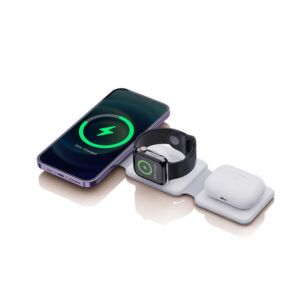
Why do enclosed wireless chargers overheat?
Because the heat cannot leave.
Inductive transfer and the phone’s charging circuit both generate heat, and inside a drawer or console there is little airflow to carry it away, so temperature rises until the device derates or stops.
The losses are inherent to inductive charging: the transfer is less efficient than a cable, and the phone’s rectifier and charging circuit add their own heat (Wireless Power Consortium: Qi). In open air, that heat is removed by convection and radiation. In an enclosure, the same amount of heat raises the internal temperature until one of the two devices reaches its limit.
When the limit is reached, the response is protective: the pad reduces power or pauses charging. That is why a phone in a drawer can charge quickly for a few minutes and then appear to stall, and why the same phone charges normally on a desk.
Convection paths in a drawer or console
Air has to enter, pass the hot components and leave. A sealed drawer has none of that, so the design needs either a deliberate vent path or a thermally conductive route from the module to a surface that can exchange heat with the room.
| Enclosure type | Heat removal mechanism available | Design response |
|---|---|---|
| Open shelf or tray | Convection from the exposed surface | Modest venting; keep the module base exposed |
| Closed drawer | Very limited; heat is trapped | Vent path, thermally conductive base, or a lower charge rate |
| Under a table surface | Conduction into the surface plus limited convection | Thermal interface material and a vented underside |
| Console with lid | Limited; solar gain adds heat in a vehicle | Derating with temperature sensing and a thermally conductive path |
Thermal interface materials and where they help
A thermal interface material moves heat from the coil assembly into the housing or into a spreading plate. It helps when there is a surface that can dissipate the heat; it does nothing if the whole assembly is enclosed in a plastic box with no external path.
The correct order of decisions is therefore: define where the heat will go, then choose the material that connects to it. Products that begin with the material rather than the path usually end up derating.
Derating strategy when ambient temperature rises
Derating is not a defect; it is the mechanism that keeps a product inside its safe operating area. The specification should state the ambient temperature at which the full rating is available, and how output reduces above it.
WECENT’s wireless platforms include temperature sensing and over-temperature protection alongside over-voltage, over-current and short-circuit protection, and the behaviour is verified through functional testing and load aging at the quality control gates, with per-batch records. For an OEM programme, the derating curve belongs in the specification rather than in the test report alone, together with the ambient temperature at which it begins.
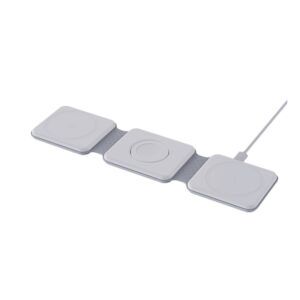
How to measure case temperature credibly
A useful measurement fixes three variables: load, ambient temperature and duration. Charging a known phone from a defined state of charge, in a controlled ambient, for a set period, with the enclosure assembled as it will ship, produces a number that means something.
Measuring in open air or without the enclosure understates the case temperature and produces optimistic specifications. For a product intended for a drawer or console, the test rig should include that enclosure, because it is part of the thermal design.
Field failures caused by enclosure heat
Three complaints recur in products with enclosure issues: charging that stops after a short period, a phone that is hot to touch when removed, and a module whose performance degrades over months. The first two come from protective behaviour working as designed; the third can come from sustained operation at elevated temperature.
Documentation helps here: telling the customer that the product derates in an enclosed space is a better answer than replacing units that are behaving correctly. Where the enclosure is part of the product, the derating behaviour belongs on the specification sheet. Adapter efficiency rules apply to the supply shipped with the product (Regulation (EU) 2019/1782), and packaging for installed modules can be validated against a published transit protocol (ISTA).
What to specify for an enclosed-space product
Five lines cover the thermal design: available airflow or conduction path, thermal interface material where a path exists, full-rating ambient temperature, derating behaviour above it, and the protection set with test evidence. Adding the enclosure definition to the test specification makes the result comparable between suppliers.
WECENT builds wireless charging products across its wireless charger range range for consumer, furniture and vehicle programmes, quotes from a written specification through its OEM/ODM programme, and starts at 200 pcs per model for a pilot. EMC compliance follows the destination market’s framework, such as the FCC Part 15 rules (47 CFR Part 15) or the EU radio equipment directive (Directive 2014/53/EU), with Qi certification handled separately (Wireless Power Consortium: Qi).
FAQ
How do I stop a wireless charger from overheating?
Remove obstructions to airflow, avoid charging inside a closed drawer or under a cushion, and use a thin case. Where the product is built into furniture, the design needs a deliberate vent path or a thermally conductive route to a surface that can dissipate heat.
Does heat from wireless charging damage the battery?
Elevated temperature accelerates battery ageing, which is why products derate when they get hot. The protective behaviour trades charging speed for temperature, and it is the reason an enclosed charger charges slowly rather than running continuously at its maximum.
Why does my phone stop wireless charging after a few minutes?
The most likely cause is thermal: the pad or the phone reached a temperature limit and reduced or paused charging. Moving the product to a ventilated position, removing a thick case, or charging at a lower rate usually resolves it.
Does a thermal pad inside a charger help?
It helps only when there is a surface for the heat to reach. A thermal interface material connects the coil assembly to a housing or spreading plate; in a fully enclosed plastic box with no external path it changes little.
How should enclosed-space charging performance be specified?
State the available airflow or conduction path, the full-rating ambient temperature, the derating behaviour above it, and the protection set with test evidence, and define the enclosure in the test conditions so results are comparable between suppliers.
Designing charging into an enclosure?
Share the enclosure type, ambient conditions and target devices, and WECENT will confirm the thermal design, derating behaviour and MOQ from a written brief.
This article is part of Wireless & Built-in Charging, the guide that covers this topic in decision order.