
ThinkPads have moved through three charging generations: barrel connectors, the slim tip, and USB-C. A fleet therefore tends to hold all three at once, which makes standardisation a procurement question rather than a technical one.
This guide covers the connector families, the wattage tiers, the docking question and how to plan a compatible-charger programme.
Are all Lenovo ThinkPad chargers the same?
No; there are three generations.
ThinkPads use older barrel connectors, the slim tip, and USB-C depending on the model year, and the wattage tier follows the machine’s power requirement.
The connector generation is the first thing to establish, and the second is the wattage. Older machines use a round barrel, newer ones the slim tip, and current models increasingly charge over USB-C, which allows a smaller adapter and a shared charger with other devices (USB-IF: USB Power Delivery).
For a fleet, that mix means either three adapter types in stock or a standardisation project. The second is usually cheaper over a three-year horizon, even allowing for the adapters that cannot be replaced by USB-C.
Connector generations and how to identify them
Identification is mechanical: the older barrel and the slim tip differ in diameter and length, and USB-C is unmistakable. Where the original adapter is available, its part number also identifies the tier.
For a service desk, a photograph of the port and the adapter label is enough to issue the right replacement, which is why recording both at deployment saves time later.
Wattage tiers from 45W to 135W
The tiers map onto machine classes: 45W for ultraportables, 65W for mainstream machines, 90W and 100W for larger laptops and docking, and 135W for performance models. Substituting a lower tier produces slow charging or a discharge under load, particularly when a dock is attached.
| Tier | Typical machines | Practical note |
|---|---|---|
| 45W | Ultraportables, travel machines | Smallest adapter; often USB-C |
| 65W | Mainstream ThinkPad ranges | The most common replacement tier |
| 90–100W | Larger machines and docks | Check the dock’s own power requirement |
| 135W | Performance workstations | Verify against the machine’s documentation |
Docking stations and how they change the power path
A dock changes where the adapter connects and what it powers: the dock itself consumes part of the budget, and the laptop receives what remains. A replacement adapter that matches the laptop but not the dock will under-deliver when the dock is in use.
The practical specification therefore names both the laptop requirement and the dock’s requirement, and the adapter is chosen for the larger of the two.
Fleet standardisation: one charger for a mixed estate
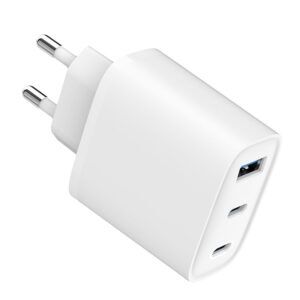
Standardising on USB-C where the machines support it reduces the number of adapters a fleet carries, and it allows a single travel charger to serve a laptop and a phone. The machines that cannot use USB-C charging remain on their own tier, usually a small population by the second year of a refresh cycle.
Efficiency and documentation duties attach to each adapter class in the destination market (Regulation (EU) 2019/1782 and 10 CFR Part 430), which is one more reason to keep the number of distinct adapters small.
Genuine versus compatible: what IT teams should verify
The questions that matter for a compatible adapter are the same as for any replacement: matching electrical specification, correct connector, protection behaviour and a batch test record. Branding is not a technical criterion, although warranty policy may make it a procurement one.
WECENT supplies adapters with over-voltage, over-current, over-temperature and short-circuit protection, produced through functional testing, hi-pot pressure testing and load aging with per-batch inspection reports from the quality control gates. Documentation can be shared with a fleet’s procurement team under NDA.
Where to source replacement volumes
A replacement programme for a fleet usually needs a small number of specifications in reasonable volume, which suits a factory-direct quotation rather than a retail purchase. The specification should state the connector, the output, the plug variants and the markets.
WECENT quotes such programmes through its OEM/ODM programme with MOQ from 200 pcs per model, supplies plug variants as configurations of one platform, and lists comparable platforms in the product catalogue. Packaging durability can be validated against a published transit protocol (ISTA).
Two procurement decisions follow from the connector mix. The first is whether to keep three adapter types in stock or to standardise where the machines allow USB-C charging; the second is how many spares to hold per site, since a replacement adapter that takes a week to arrive leaves a machine unusable. Both are costed more accurately with the installed base recorded by connector rather than by model name.
The documentation question sits alongside them: adapters sold into a fleet are audited for efficiency and EMC paperwork as well as for their electrical specification, under the external power supply rules of the destination market (Regulation (EU) 2019/1782 and 10 CFR Part 430) and frameworks such as the FCC Part 15 rules for EMC (47 CFR Part 15). WECENT supplies fleet programmes with per-batch inspection records from its quality control gates, quoted through the OEM/ODM programme with MOQ from 200 pcs per model.
A useful fleet metric is the ratio of adapters to machines per site: a ratio above one means spares are being consumed rather than replaced after loss, which usually points to fragile connectors or to adapters being taken home. Tracking that ratio by connector type shows which generation is costing the most to support.
FAQ
Are all Lenovo ThinkPad chargers the same?
No. ThinkPads use older barrel connectors, the slim tip, and USB-C depending on the model year, and the wattage follows the machine’s power requirement. Identifying the connector and reading the original adapter’s label settles the replacement specification.
What kind of charger does a Lenovo ThinkPad need?
One matching the machine’s connector generation and wattage tier, in the 45W to 135W range depending on the model, with USB-C PD for current machines. Where a dock is used, the adapter must also cover the dock’s own requirement.
Can I use a USB-C charger on an older ThinkPad?
Only if the machine supports charging over its USB-C port, which the manufacturer’s documentation states. Many older ThinkPads have USB-C data ports that do not accept power, so the connector’s presence is not sufficient evidence.
Why does my laptop charge slowly with a replacement adapter?
The most common causes are a lower wattage tier than the machine requires, a dock consuming part of the budget, or a cable that cannot carry the negotiated current. Comparing the adapter tier against the machine’s documented requirement isolates the cause.
What should a fleet specify for replacement adapters?
Connector type, output voltage and current, wattage tier, plug variants, the protection set and batch test documentation. Keeping the number of distinct adapters small reduces both procurement complexity and certification effort.
Standardising laptop charging across a fleet?
Share the machine list, connector types and target markets, and WECENT will confirm the adapter specification, tier plan, documentation and MOQ.
Request a fleet charging review
This article is part of Laptop Chargers, the guide that covers this topic in decision order.